
Maintaining a Member Register
A member register is the single list of who belongs to your club and how to reach them: names, contact details, emergency contacts, and which membership each person holds. Most clubs keep this in a spreadsheet that goes stale the moment someone changes their phone number or a new player turns up on a Tuesday night. Insurers, councils, and grant funders increasingly ask to see an accurate register, and chasing fifty people for their details by email is nobody's idea of a good evening.
ServeLeague gives you one link that does this work for you. You share it once, and every member, new or existing, uses the same page to add or confirm their own details. This tutorial shows you how to find that link, share it well, and keep your register accurate over time.
Step 1: Open Your Registration Link Page
From your club's admin area, open the People section in the left-hand menu, then click Registration link.
You'll land on a page titled Member registration link. This is the home for the one link you share with your whole club.
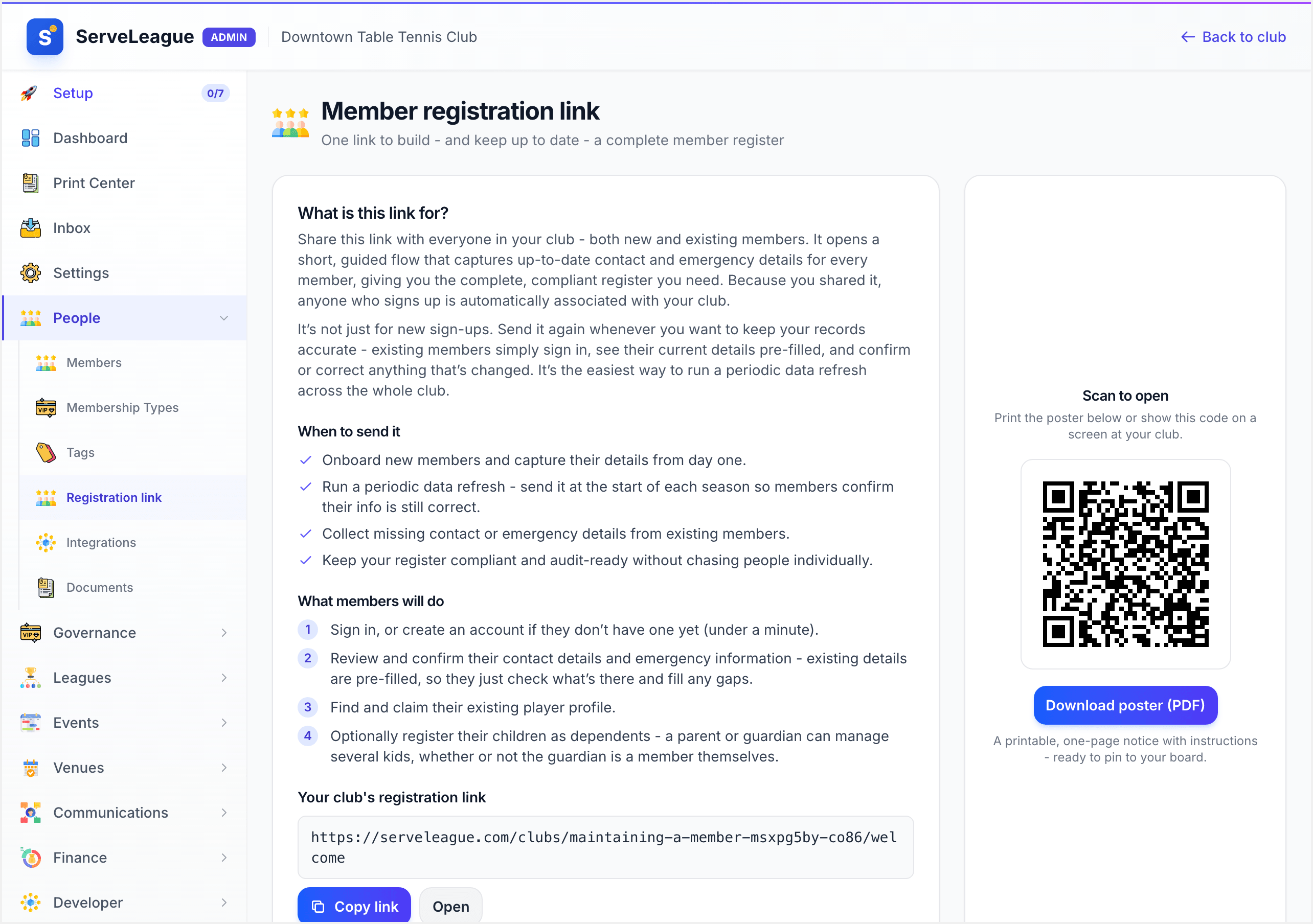
The link always points to the same place: your club's public welcome page. You never need to create a new one, and it keeps working season after season.
Step 2: Share the Link
You have several ways to get the link in front of members, depending on how your club communicates.
- Copy link: click the Copy link button to put the web address on your clipboard, then paste it into an email, a WhatsApp group, or your newsletter.
- QR code: the page shows a QR code that members can scan with their phone camera. This is perfect for people standing in the hall.
- Download poster: click Download poster to get a printable PDF with the QR code on it. Pin it to your noticeboard or prop it up at the front desk on club night.
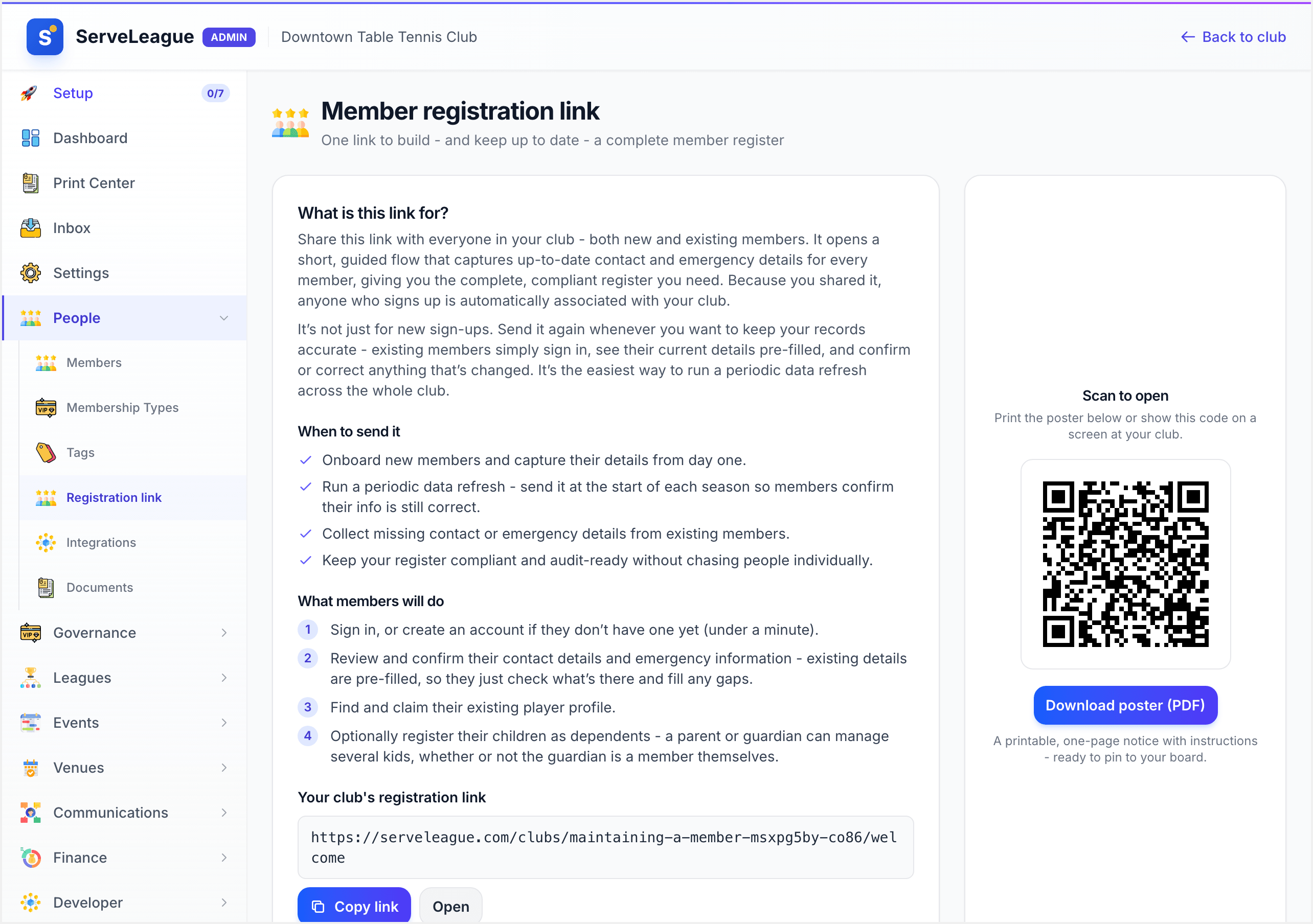
Pick whichever fits the moment. A printed poster by the door captures people who would never get round to opening an email, while the copyable link is ideal for your start-of-season message.
Step 3: See What Members Experience
When someone opens the link, they see a friendly welcome page headed Welcome to your club's name. It walks them through a short series of steps, and they only fill in what's relevant to them.
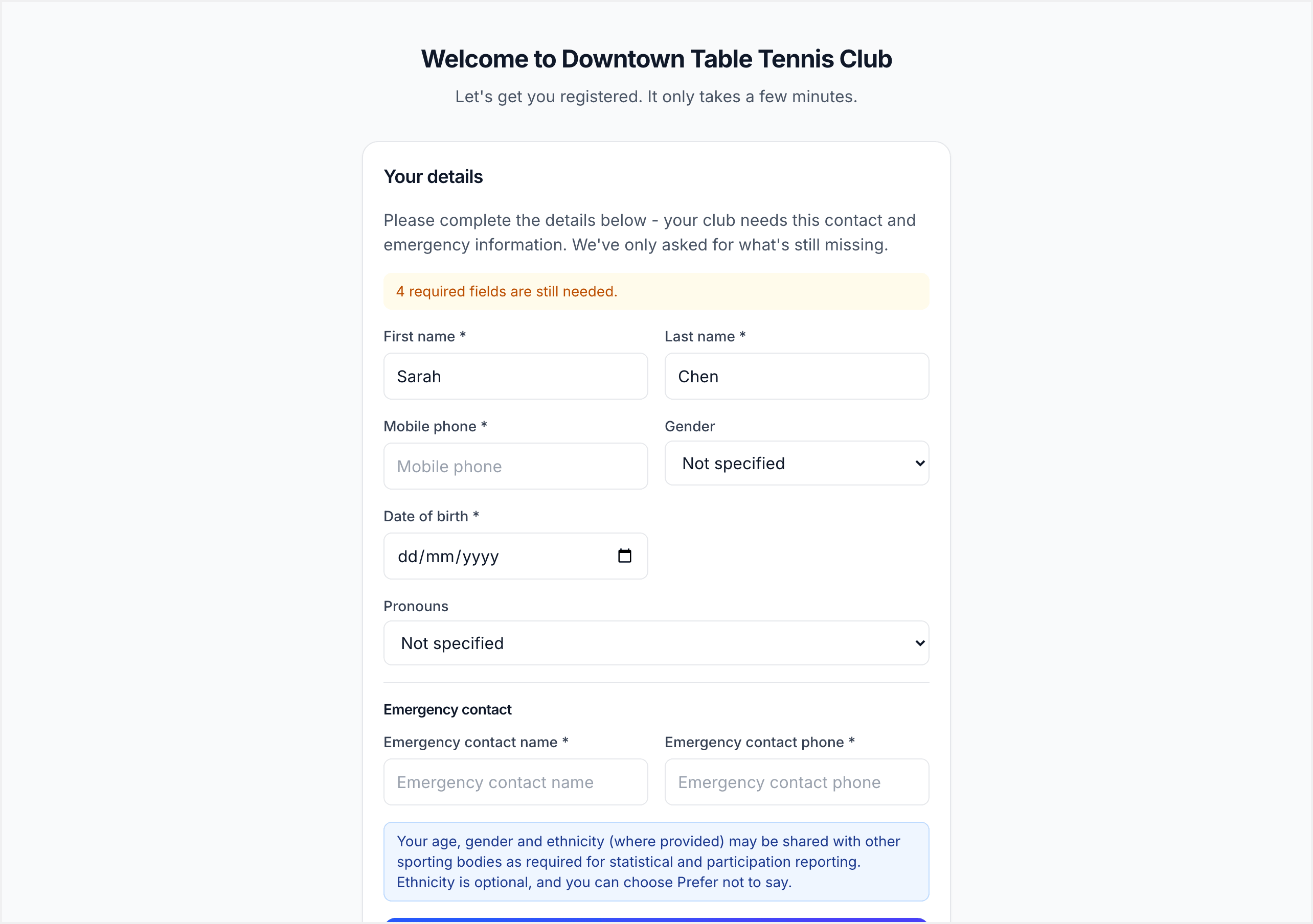
Here is what each person goes through:
- Their account: they sign in, or create an account in under a minute if they're new.
- Their details: they fill in contact and emergency information. If they're an existing member, these fields are pre-filled, so they only check what's there and add anything missing.
- Their player profile: they find and claim their existing player profile, so their match history and rating connect to the right person.
- Membership and family: they can join as a member and register their children as dependents, so a parent can manage several kids from one account.
Because members enter their own information, the details land in your register correct and current, without you retyping anything from a spreadsheet.
Step 4: Approve Claims in Your Inbox
When a member claims a player profile, ServeLeague does not merge it blindly. The request goes to a review queue so you stay in control of your data.
Open the Inbox in your admin area to see pending claims. Review each one, confirm it matches the right person, and approve it. The member's account, player profile, and register entry are then linked together.
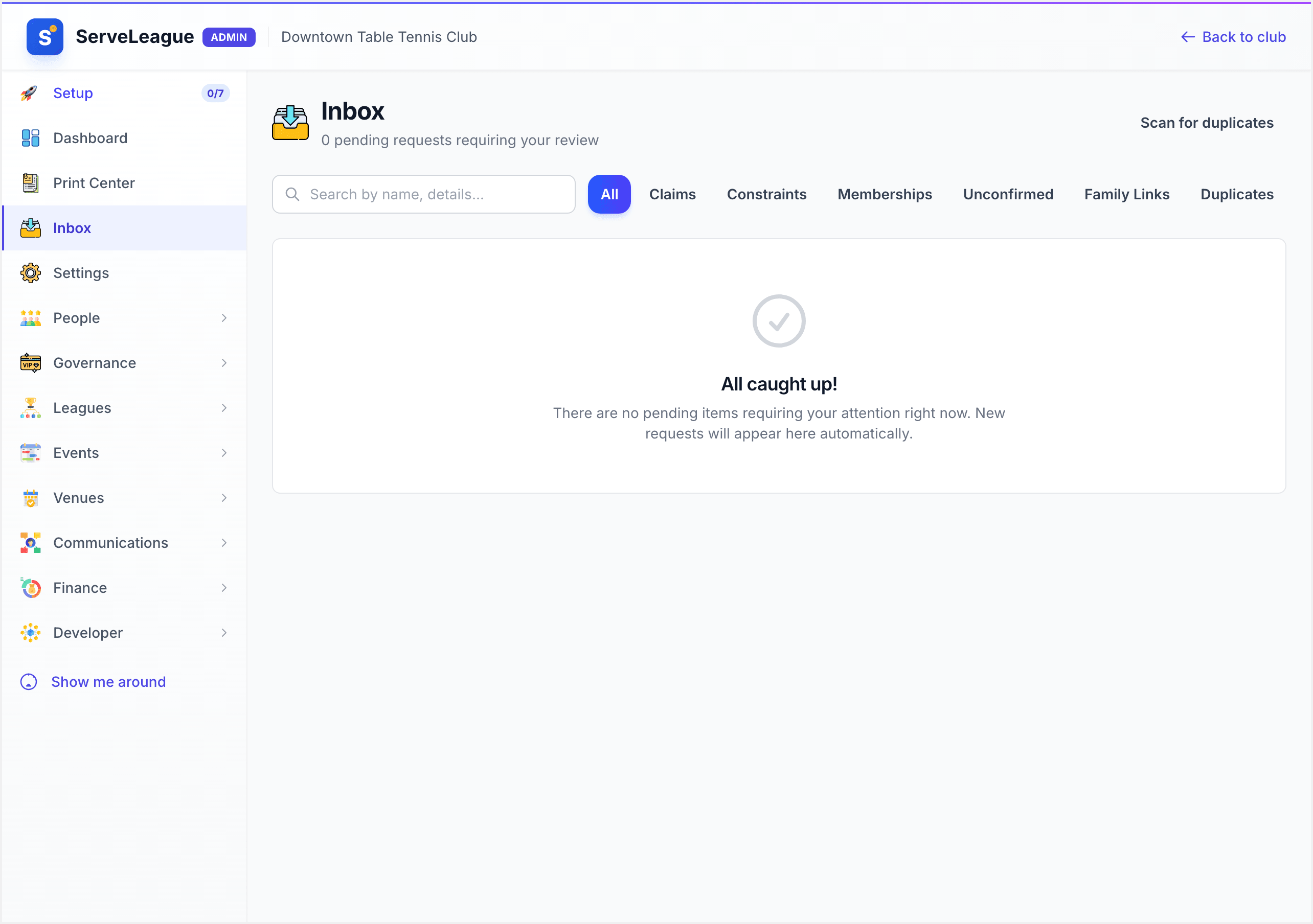
ServeLeague helps by matching on email first, then name, so most claims are obvious. You only need to step in when something looks ambiguous, like two players with the same name.
Step 5: Run a Seasonal Refresh
The real value of the welcome link is keeping the register accurate over time, not just at sign-up.
At the start of each season, send the same link to your whole club with a short note: "Please open this and confirm your details are still correct." Existing members see their information pre-filled, so confirming takes seconds. Anyone whose phone number, address, or emergency contact has changed updates it themselves, and your register stays audit-ready without a single back-and-forth email.
Make this a habit. A two-line message at the start of each term will keep your data healthier than any amount of manual chasing.
What's Next
Your register is now something members maintain for you. Next, learn how to organise people once they're in by reading Member Tags and Segmentation, or set up paid tiers with Managing Memberships and Payments.
If your club also needs a legal record of who may vote and hold office, which is a shorter and stricter list than your directory, read Running Your Governance Register. To decide how the register itself should be structured before you create types and tags, see Designing Your Member Register.