Running a Tournament
Tournaments bring a different energy than regular leagues: elimination stakes, bracket drama, and a clear winner at the end. Whether you are running a one-day open or an end-of-season showdown, ServeLeague keeps the entries, draws, scores, and results together.
This is the canonical guide to the tournament screens. It covers the complete workflow from creating the tournament to configuring events and divisions, opening registration, running draws, and publishing final results.
One competition or a dozen uses the same structure. A tournament holds one or more events (Under 15, Men's Singles, Mixed Doubles), and each event holds one or more divisions (Division A, Division B) when a draw is too big for one table of players. You do not choose between "a tournament" and "a championship" up front: you create a tournament, and it grows as you add events to it. A single-event tournament never shows you the extra machinery. If you are running your annual club championship, see Running a Club Championship. It uses the same structure with more events.
Before You Begin
Make sure you have:
- A club set up on ServeLeague (see Setting Up Your Club)
- Players added to your club roster
- An idea of how many players will participate and what format suits your event
- Club administration access
Step 1: Create a Tournament
From your club administration area, click "Leagues" in the sidebar, then click "New League". Select "Tournament" from the format choices.
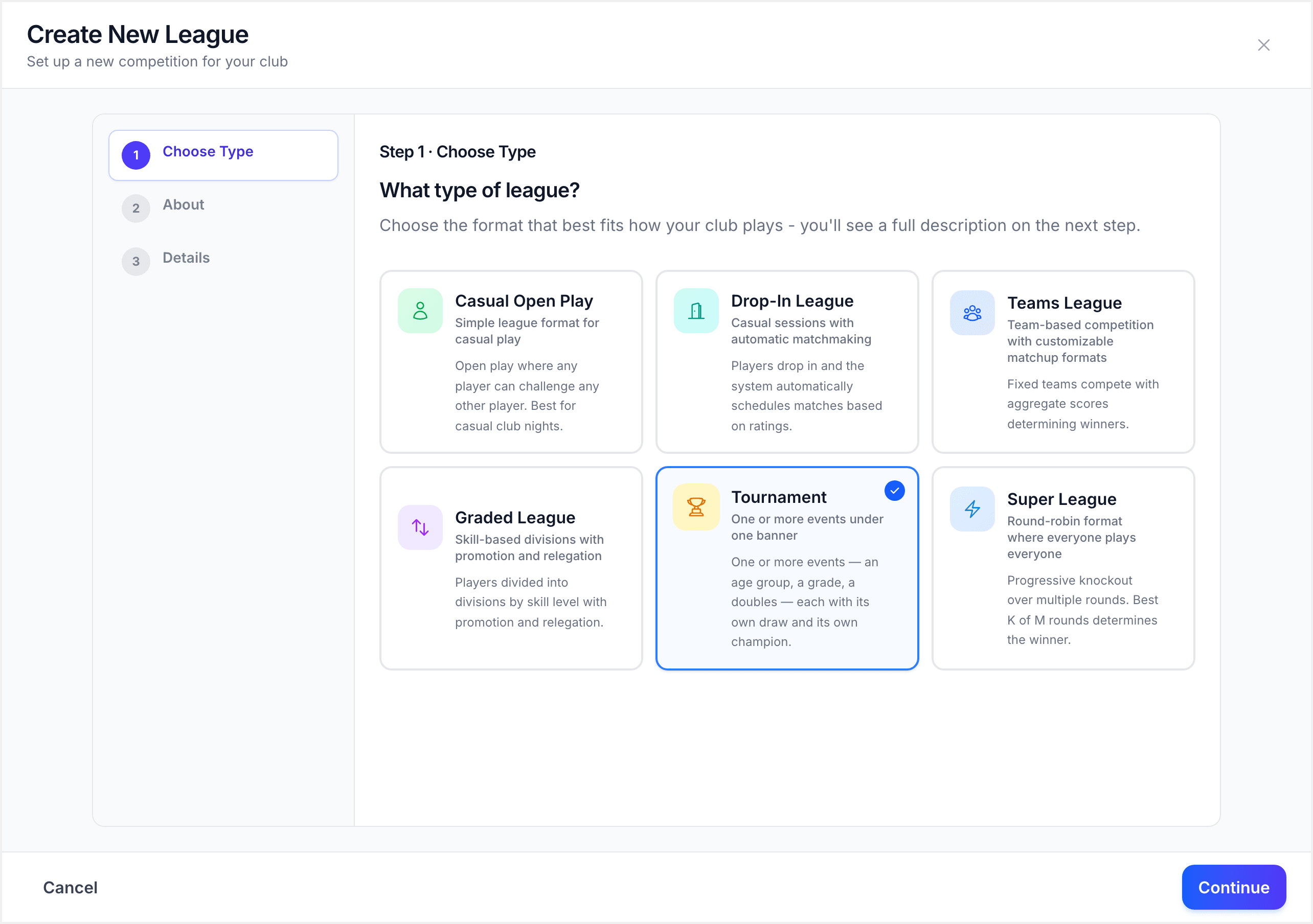
Choose this same option for a single-event tournament or a multi-event club championship. There is no separate Championship competition type.
Creation asks for one thing: the tournament name. Use something like "Spring Open 2026" or "Junior Development Tournament", then click "Create tournament".
You are taken straight to the tournament page. Everything else, including how matches are scored, which events run, and how each draw is built, is set up there where you can see and change it.
[!NOTE] There is deliberately no format question here. A format belongs to a draw, and a tournament can hold several draws with different formats. Asking up front would force one answer onto all of them.
Step 2: Confirm the Tournament Rules
The tournament opens on its "Setup" tab with a "Tournament Rules" card. These are the defaults every event inherits, including the match format and default draw format. They are not decisions locked in for the whole tournament. Every event can override them.
Confirm the rules to unlock the rest of setup. This is a one-click step if the defaults suit you.
Step 3: Add Your Events
An event is a title with its own entrants and champion, such as "Under 15 Singles", "Men's Singles", or "Open Doubles". Click "Add event" and give it a name. The form guides you through the event details and format.
Add one event for a single competition, or one per age group / grade for a bigger day. Events appear on the Setup tab as you add them, each with its own entry list, its own draw and its own winner.
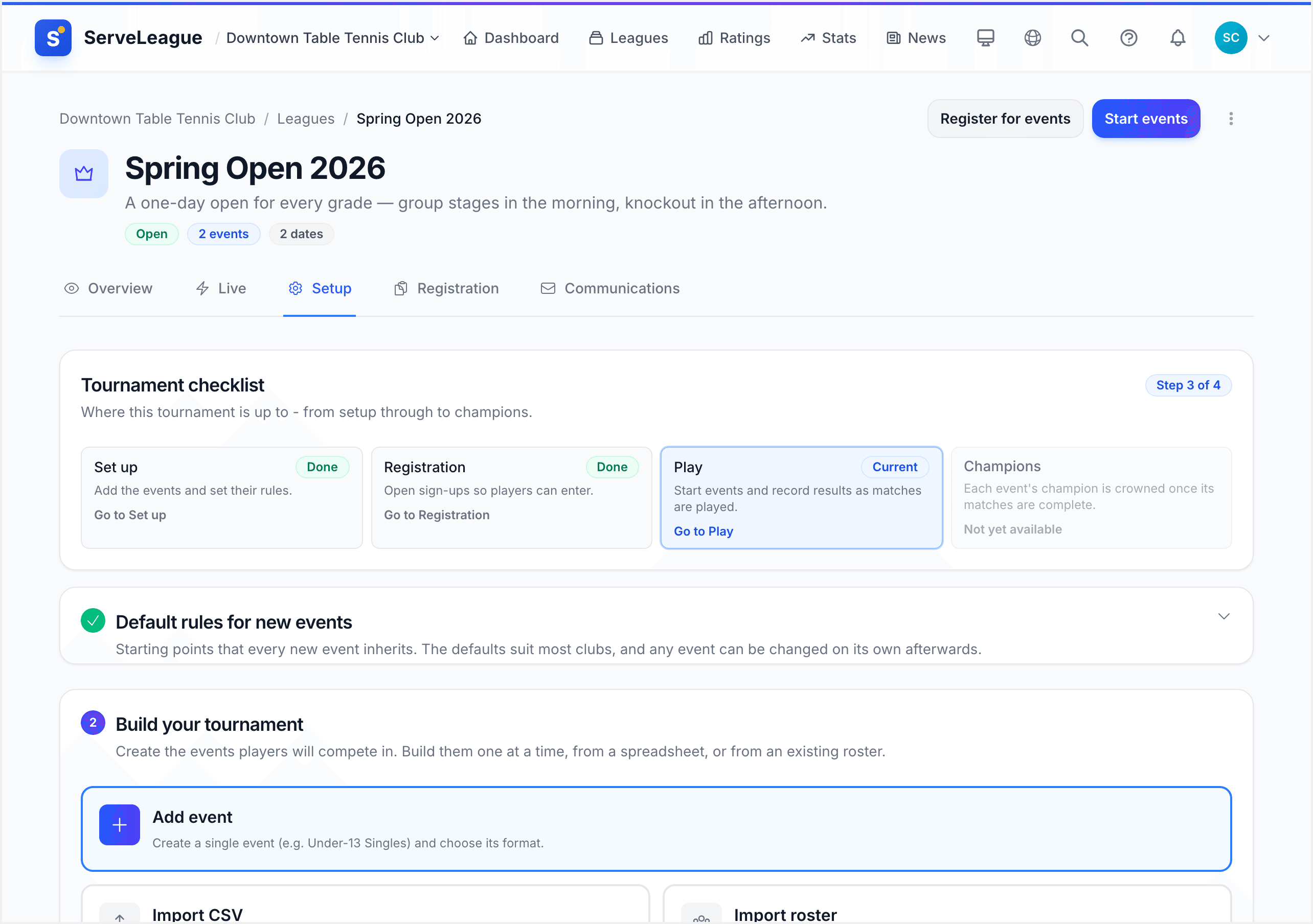
[!TIP] Name events the way players talk about them, such as "Under 13 Boys", and let divisions carry the draw split, such as "Division A". Naming the event "Under 13 Boys Division A" creates a separate entry choice when what you probably need is another division inside the same event.
Step 4: Build Each Event's Draw
Open an event and use the division setup wizard to build its draw. The wizard has four steps:
- Format: the draw structure for this division (see the table below)
- Rules and tables: match format, consolation options, and how many tables this division plays on
- Players: who is in the draw, and which pool each player sits in
- Review: the structure it will build, including pools, matches, matches per player, and an estimated running time
If one event needs more than one draw, add another division. For example, "Under 15 Singles" can contain Division A and Division B. Each division has its own draw and placement order, while the event keeps those related draws together.
ServeLeague supports five draw formats:
| Format | How it Works |
|---|---|
| Round Robin | Every player plays every other player. No elimination. Final rankings based on overall record. |
| Knockout | Single-elimination bracket from the start. Lose once and you are out. |
| Group + Knockout | Round-robin groups followed by a knockout bracket. Top players from each group advance. |
| Group + Crossover | Group stages with crossover matches between groups before knockout. |
| Full Placement | 16 players, 4 tiers (Cup/Plate/Bowl/Shield). Every player finishes with a placement from 1st to 16th. |
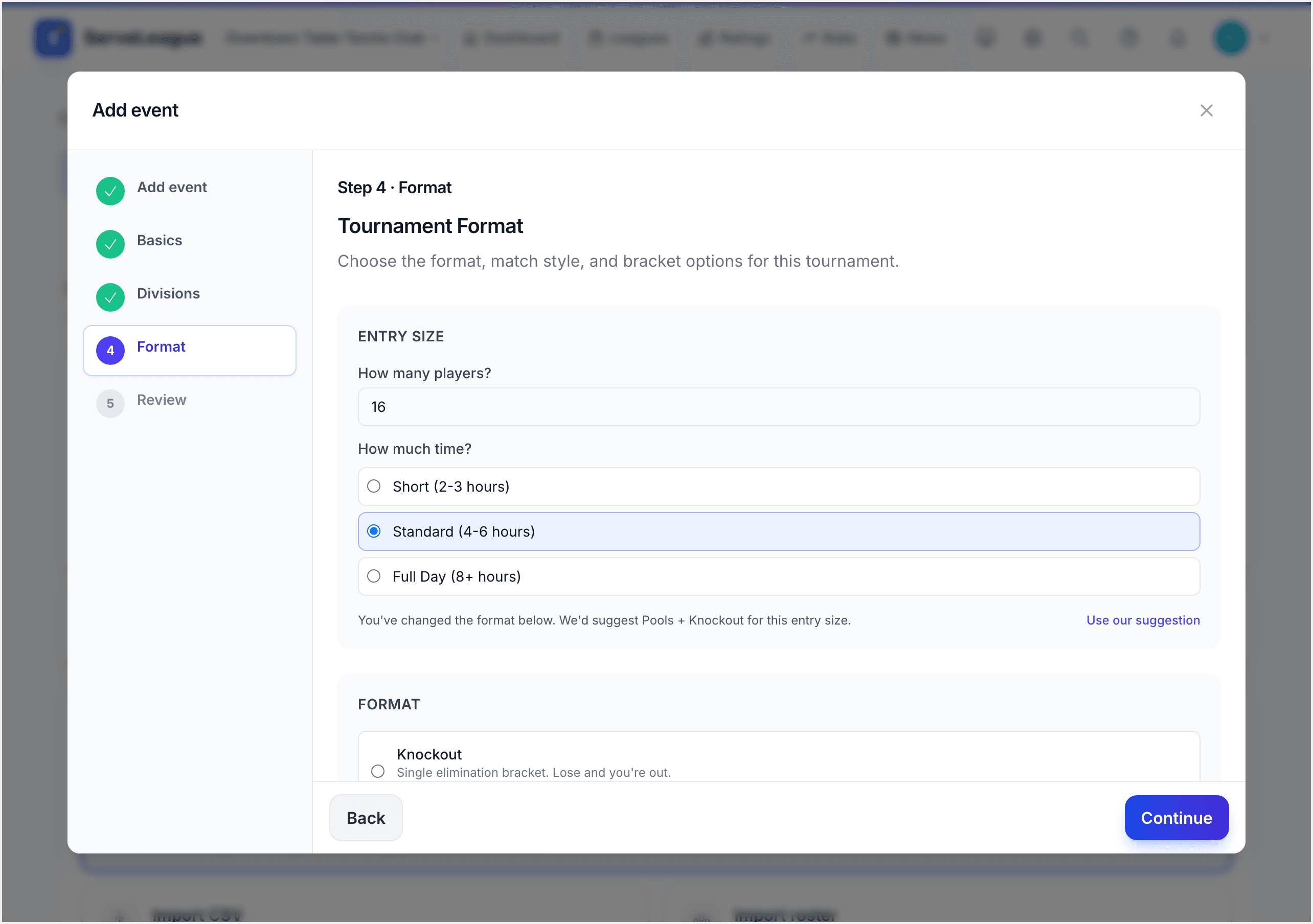
Select the format that fits this division and continue.
[!TIP] For your first tournament, Group + Knockout is a great choice. It gives everyone at least a few matches in the group stage before the elimination drama begins.
If your priority is that nobody drives home after two matches, use Group + Crossover: everyone carries their pool result into a second round of pools banded by finishing position, so every entrant keeps playing to the end.
Step 5: Configure Match Format
On the wizard's Rules and tables step, set the match rules for this division:
- Match format: choose Best of 3, Best of 5, or Best of 7 games per match
- Third place match: whether to play a match for 3rd/4th place in the knockout bracket
- Consolation bracket: whether eliminated players play consolation matches. Options are None, Partial, or Full.
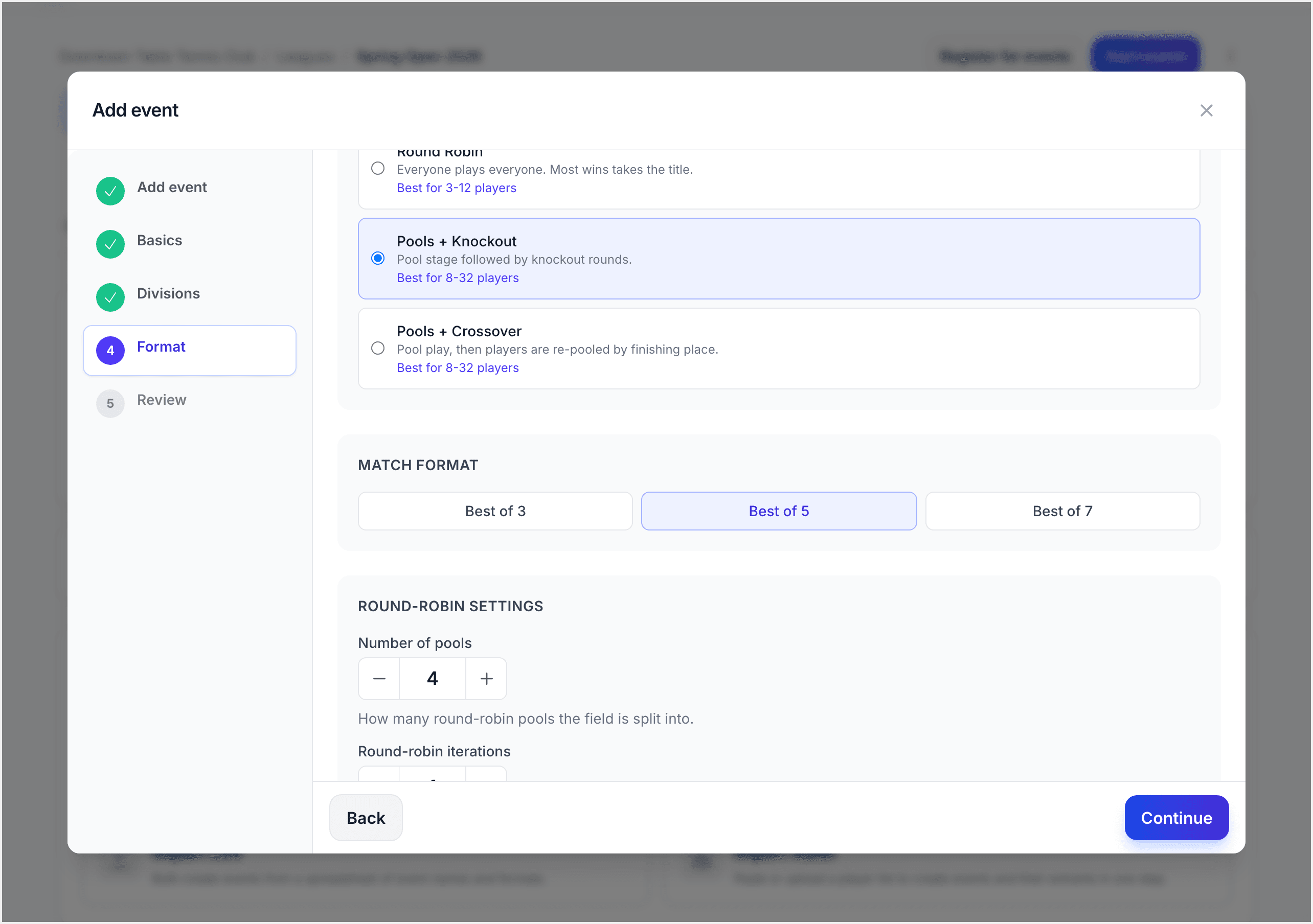
[!NOTE] For Group + Knockout formats, you can set different match formats for the group stage and knockout stage. For example, best of 3 in groups and best of 5 in the knockout.
Step 6: Add More Divisions (Optional)
If an event needs to split (Division A and Division B, or an A grade and a B grade), add a division from the event's Divisions card.
Each division carries its own:
- Name: e.g., "Division A", "B Grade"
- Format: divisions of the same event may use different formats
- Number of pools and players advancing per pool, for pooled formats
- Tables: which tables this division plays on. Adjacent divisions may share a table when the hall is tight.
[!NOTE] A single-division event never shows division pills or an all-matches desk. The extra level appears only once a second division exists.
Step 7: Configure Registration
Registration belongs to the event, not the tournament. This means an admin can close Under 15 while Open Singles is still taking entries. Open the "Registrations" tab and configure each event:
- Registration open/closed: control when players can sign up
- Registration capacity: the maximum number of spots available
- Registration deadline: the cutoff date for entries
- Price: what entry to that event costs
Players see one entry form for the whole tournament and tick the events they want:
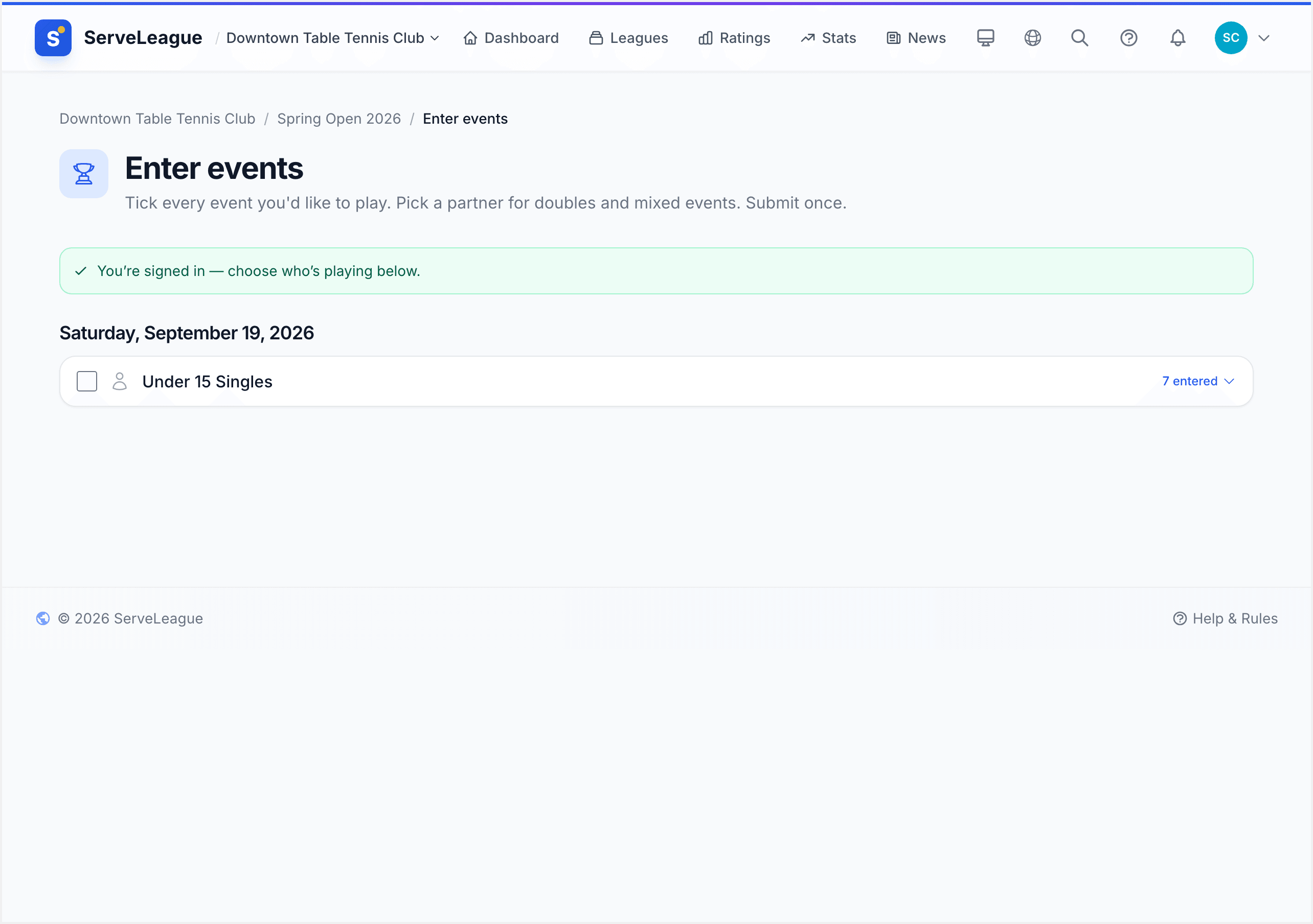
When capacity is reached, additional registrations are automatically waitlisted. Players enter through your tournament's public page (see Player Self-Service for the player registration experience).
Admins can view confirmed, waitlisted, and cancelled registrations from the registration admin panel.
[!TIP] Set a registration deadline a day or two before the event so you have time to finalise groups and seeding.
Step 8: Seed Players and Assign Pools
The division setup wizard's Players step is where you add participants and configure seeding.
ServeLeague offers three seeding methods:
| Method | How it Works |
|---|---|
| By rating | Automatic seeding based on current player ratings. This is the default. |
| By group rank | Seed knockout bracket positions based on group stage results (used after groups are complete) |
| Manual | You assign seed numbers based on your own judgment |
For formats with groups, the seeding determines how players are distributed across groups. Higher-seeded players are spread evenly so each group has a mix of ability levels.
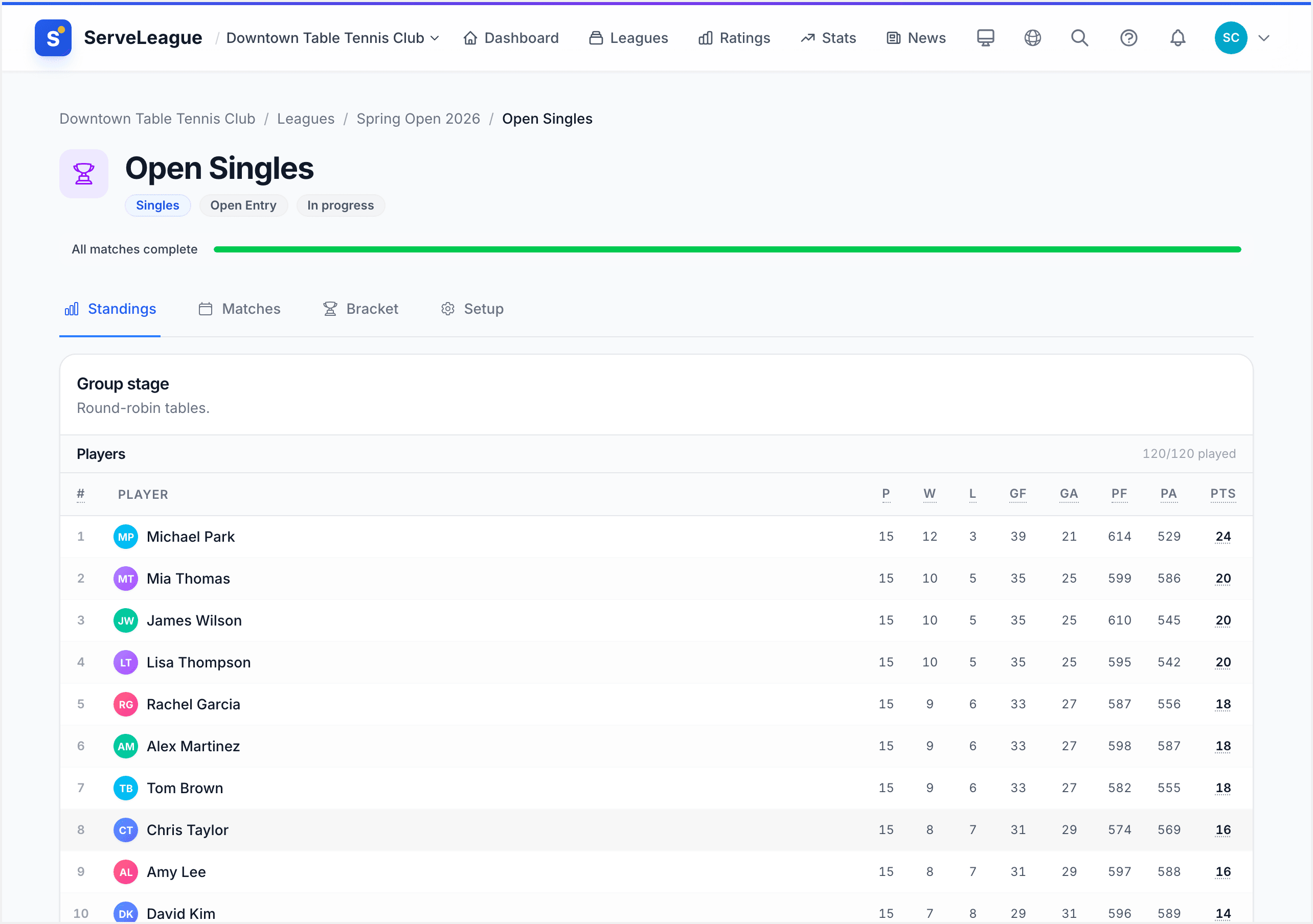
Each group card shows the player list with their seed/rating, and projected qualifier markers (Q) indicating who is expected to advance based on current standings.
[!NOTE] For Group + Knockout formats, use "By rating" for initial group seeding. Then after groups are complete, use "By group rank" to seed the knockout bracket based on actual group results.
Step 9: Run Group Stages
For formats with groups, generate the group stage from the Ready checklist. This is a manual step so you can review everything before matches begin.
Once generated, each group plays round-robin matches. The group stage works like a regular session:
- Open matches for score entry
- Enter scores as matches complete
- Watch group standings update in real time
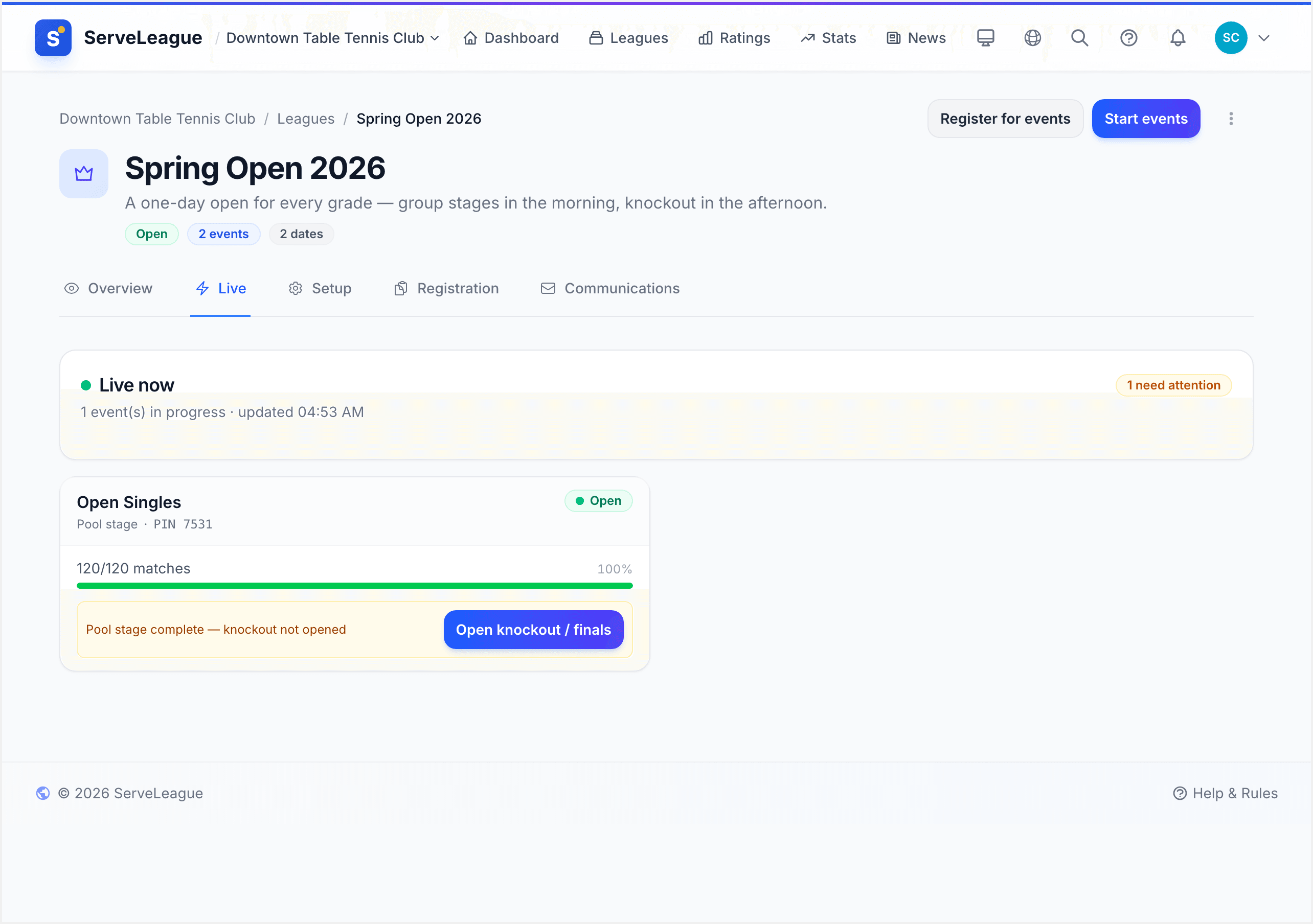
Finalize each group when all matches are complete to lock in results and determine qualifiers.
[!TIP] Display the tournament page on a large screen at your venue so players can track standings and upcoming matches live. See Kiosk Mode and Public Display for setup instructions.
Step 10: Start the Knockout Bracket
After group stages are complete, the knockout bracket does not populate automatically. An admin must click "Start Bracket" on the tournament ready checklist to generate the bracket structure.
This intentional step lets you:
- Review group results before the bracket is created
- Adjust seeding if needed
- Handle any disputes from the group stage
Once generated, the bracket structure is fixed. Player slots fill in as match results determine who advances.
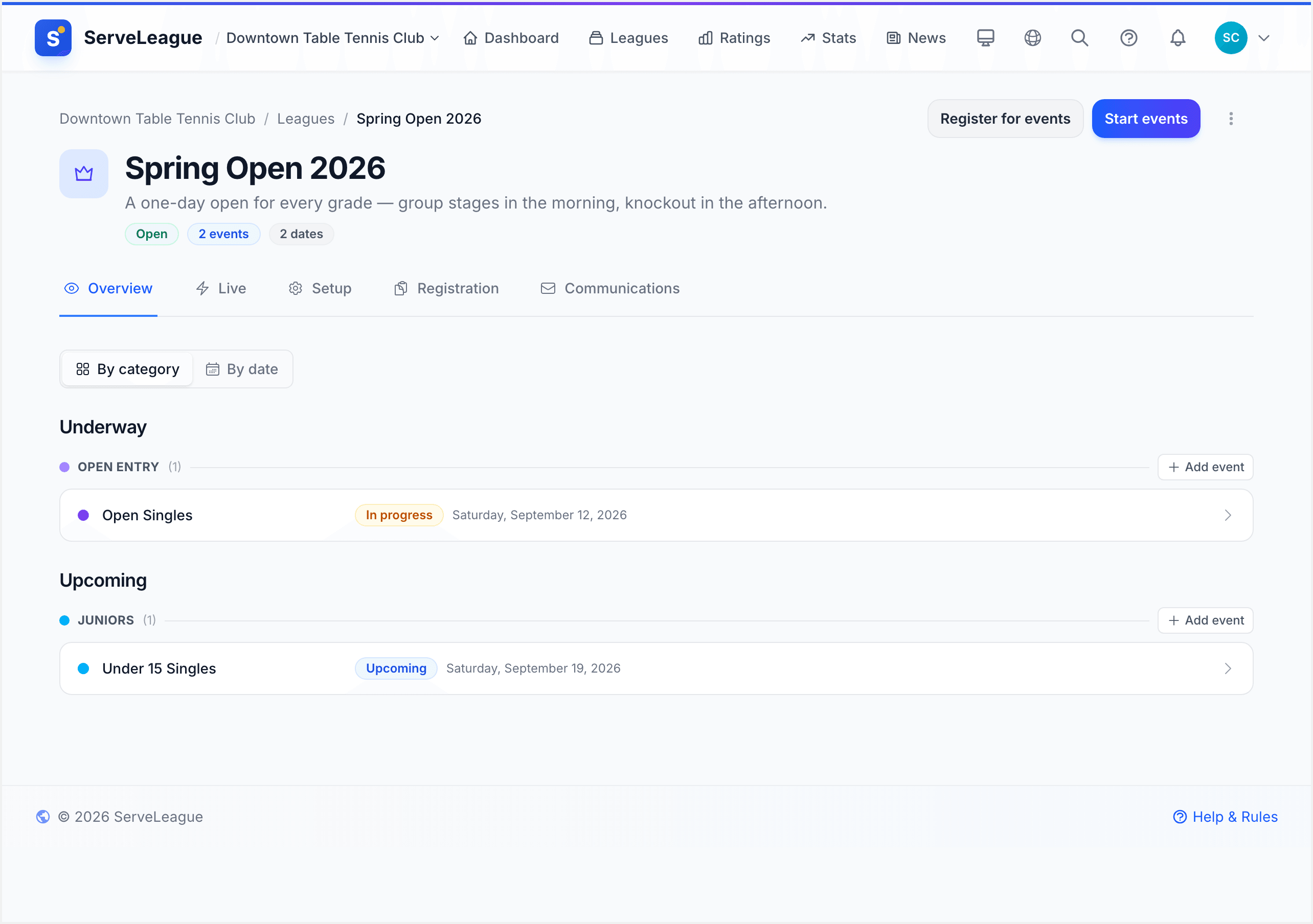
Enter scores as each match finishes. The bracket updates live with winners progressing to the next round.
[!WARNING] Once a knockout match result is finalized, it cannot be changed without resetting the bracket from that point forward. Double-check scores before confirming.
Step 11: Full Placement (Super 16) Format
The Full Placement format is a special format designed for exactly 16 players. Every player plays exactly 4 matches across four tiers:
| Tier | Who plays | Final positions |
|---|---|---|
| Cup | All 16 players enter the first round | 1st to 4th |
| Plate | Cup quarter-final losers | 5th to 8th |
| Bowl | Cup round-of-16 losers | 9th to 12th |
| Shield | Bowl losers | 13th to 16th |
The key benefit: every player finishes with a definitive placement from 1st to 16th. Nobody is eliminated without a consolation path. The format uses 32 total matches.
[!NOTE] Full Placement works best with exactly 16 players. If you have more or fewer, consider using Group + Knockout instead.
Step 12: Complete and Review the Tournament
As each draw finishes, review its final result and complete the result workflow shown on the page. Do not mark a draw complete while scores or protests are still unresolved.
When the tournament is over, check its public page:
- Every event and division shows the expected status.
- Final standings and placements match the completed draws.
- Winners have advanced through the bracket correctly.
- No unfinished or disputed result has been overlooked.
The tournament page then provides one permanent place for players to revisit the events, draws, and results.
What's Next
You have created and run a complete tournament:
Created a tournament and confirmed the rules every event inherits
Added one or more events, and a division per draw
Chose each division's format (Round Robin, Knockout, Group + Knockout, Group + Crossover, or Full Placement)
Configured match format, tables, and registration
Seeded players and assigned pools
Ran group stages with live standings
Generated and managed the knockout bracket
Reviewed and completed the final results
Running a Club Championship applies this workflow to a multi-event programme across several playing nights.
Score Entry and Match Management explains scoring and result corrections.
Kiosk Mode and Public Display shows how to display live draws at the venue.
PDF Exports and Match Sheets covers printed brackets and control-desk sheets.