
Running Your Governance Register
Most clubs can tell you who played last Tuesday. Far fewer can produce, on demand, a clean list of exactly who is a legal Member entitled to vote at the AGM — with the date each person joined, and a retained record of everyone who has left. That second list is what a constitution, an auditor, or a national body actually asks for, and it is a different thing from your player roster.
ServeLeague's Governance register is built for exactly that second list. This guide explains what it is, how it differs from your everyday members, and how to run it day to day.
The Governance register is a Pro-tier capability and may need to be switched on for your club. If you don't see a Governance tab on your Members page, ask your account owner to enable it.
Three lists, not one
It helps to hold three ideas apart. ServeLeague keeps all three, and links them so you never type a name twice.
- Players — anyone who takes part: everyone with a rating, everyone on a ladder, every junior and casual social player. This is your widest list.
- Members — the people in your Member Directory, usually with a membership type and, often, a subscription. This is your commercial/administrative list: who pays, who gets the newsletter, who can book a court.
- Governance Members — the people who are Members in the constitutional sense: the ones entitled to vote and hold office. This is almost always a shorter list than your directory, and it is the one your rulebook cares about.
A person can be all three at once. Board membership augments an existing member profile — it is never a separate, duplicate person record. That is why, when you admit someone to the register, you link them to a member who already exists rather than retyping their name.
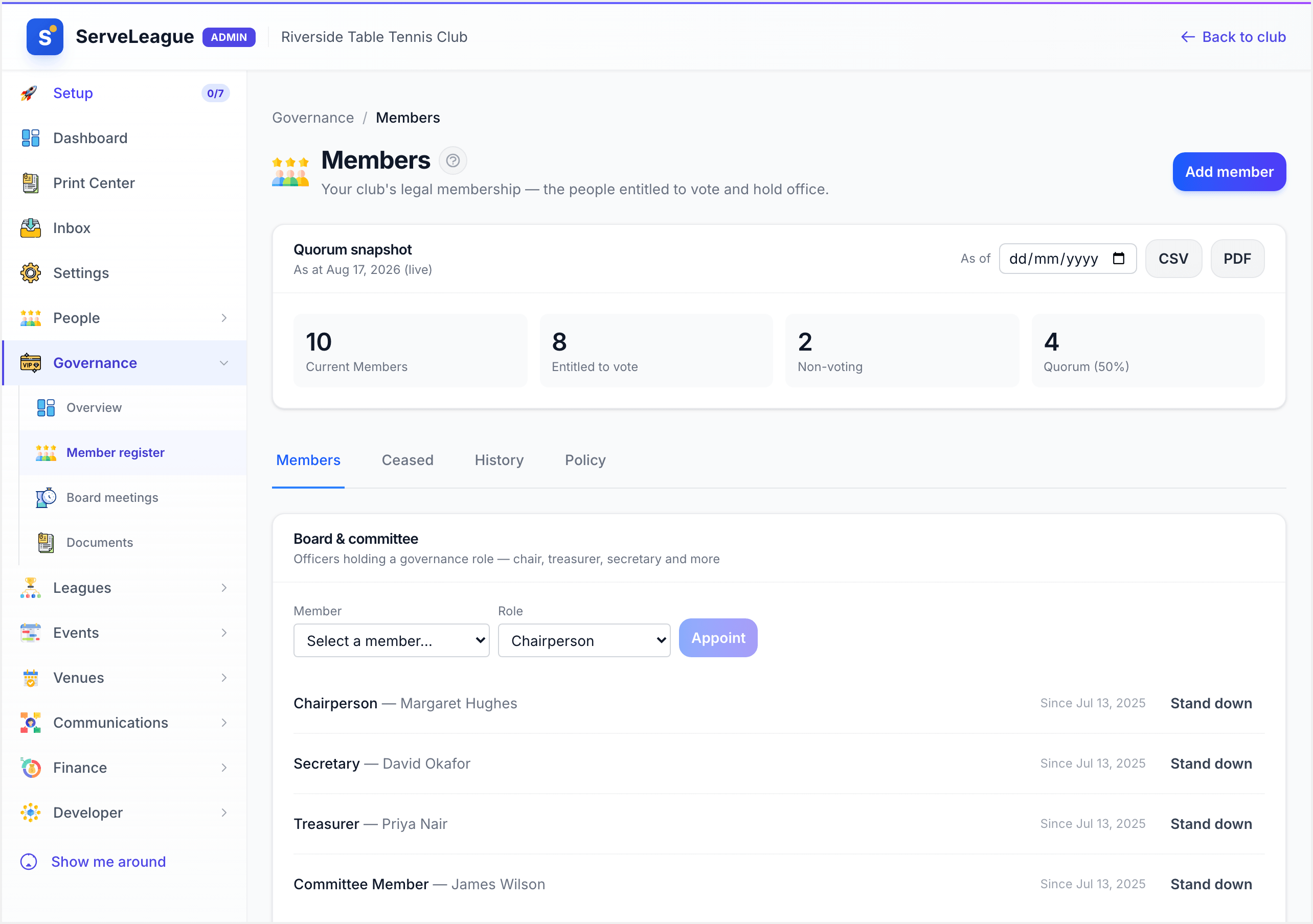
You'll find the register on your Members page, under the Governance tab.
Membership categories and who can vote
Every entry on the register carries a category, and the category decides whether that person can vote. ServeLeague ships with a sensible default set:
| Category | Counts toward quorum / can vote |
|---|---|
| Individual Member | Yes |
| Life Member | Yes |
| Club Member | Yes |
| Ordinary Member (non-voting) | No |
The Ordinary (non-voting) category is the important one, and it exists for a practical reason. Many clubs want to formally record people who take part in club activities — for example, everyone who enters a club event — without turning each of them into a voting Member. If every participant became a voting Member, your general meetings could become almost impossible to quorate. Ordinary membership lets you keep a complete, recorded roll while keeping the voting roll to the people your rules intend.
Voting eligibility is derived from the category alone — there is no per-person voting override. That is deliberate: if your board ever reinterprets what a category means, it changes in one place and flows through to every count.
Admitting a Member to the register
There are two ways a person joins the register, and both record who consented and when — because for most clubs, membership is something a person applies for and the board (or a delegate) accepts.
The direct route: Add member
Use this when you, as an admin, are recording an admission the board has already approved.
- On the Governance tab, click Add member.
- Search the Member Directory and pick the existing member you're admitting. If they're not there yet, add them to the directory first — the register always links to a real member, never a bare name.
- Choose their Category (for example, Individual Member).
- Optionally record the Board authority — a short note such as the meeting date and resolution number — so the record shows on whose authority they were admitted.
- Leave Consent captured at application ticked if the member has consented; this stamps the consent date and version onto the record.
- Save. The person is now a current Member, dated from today (or the joining date you set), and — if their category votes — they immediately count toward your quorum.
The application route: accept a pending application
Where an application has come in (for example, through an event entry that doubles as a membership application), it appears in the Applications card as awaiting a decision. As the board or its delegate you then:
- Accept it — this is the act that actually makes the person a Member. The acceptance date becomes their official "became a Member" date. You can set a specific joining date and record the board authority as you accept.
- Reject it — you'll be asked for a reason, which is kept for the record.
Either way, the person's original joining date is preserved from here on, even if their category later changes. That "date they first became a Member" is a separate thing from any current subscription period, and the register keeps them apart.
Changing someone's category
When a member's status changes — say an Individual Member is granted Life Membership — use Change category on their row rather than editing anything in place. ServeLeague records this as a clean succession: it closes the old category period and opens a new one, while carrying forward the original joining date. The result is an honest history you can point to: "Individual from 2021, Life from 2026," with no information lost and no double-counting.
Ceasing a Member without losing the record
This is where a spreadsheet usually fails a club, and where the register earns its keep. A Member never simply disappears. Ceasing is an explicit, recorded act, and the record is retained afterwards.
On a current Member's row, choose Cease and pick a reason:
- Resignation — the member resigned.
- Death — the member died.
- Termination (Board resolution) — the board removed them. This one asks you to record the authority (which meeting/resolution), because it should never happen without one.
Two things to understand:
- Lapsing is not the same as ceasing. If a member simply stops paying, that makes their subscription lapse — a reportable state — but it does not automatically cease their membership. The register will show them as not-current on subscription while still a Member, and ceasing remains a deliberate act. This matches how most constitutions actually work: non-payment is a reason the board may act, not an automatic exit.
- Ceased Members are kept, not deleted. After you cease someone they move to the Ceased Members (retained) list, holding their name, category, join date, cease date and reason. This record survives even if the person later closes their account or their wider profile is erased — so your club keeps the historical roll your rules require. Click Show under Ceased Members to see it.
Counting a quorum in seconds
At the top of the Governance tab is the Quorum snapshot. It reads straight off the register and tells you, as of today:
- how many current Members you have,
- how many of those are voting (and how many are non-voting), and
- the quorum threshold — the number needed to hold a valid meeting.
Because voting eligibility comes from category, this count is always consistent with who is actually on the register. Affiliated clubs are counted once. No more scrolling a spreadsheet the night before the AGM.
Exporting the register for your board or national body
When your secretary needs the register for a meeting pack, or a national body asks for membership figures, use Export (the Board register). It produces a spreadsheet (CSV) of the register — section, name, category, whether they vote, the date they became a Member, and, for ceased Members, the cease date and reason.
Treat that export as an official record: share it only through your club's approved, secure channels, and never attach production member data to a public place.
The audit trail
Every act on the register — an application submitted, an acceptance, a category change, a cessation — is written to an append-only Register history. You can't quietly rewrite the past; you can only add to it. When someone asks "when did this person become a Member, and on whose authority?", the answer is already recorded.
The wider governance toolkit
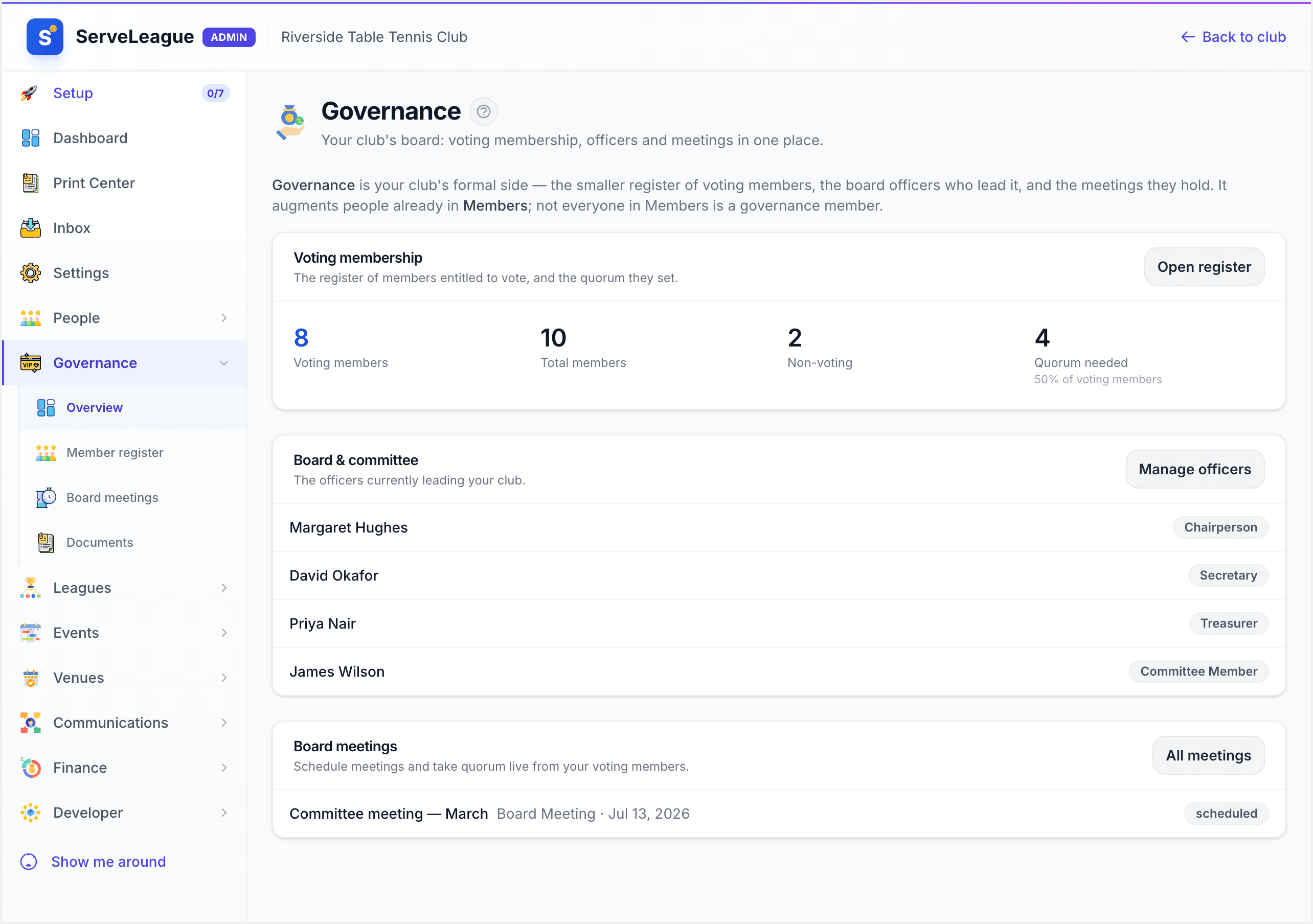
The register is the foundation, and the rest of the board suite builds directly on it — so nothing is ever re-typed. It's all in the Governance area today:
- Officer roles. Appoint a chairperson, secretary, treasurer and committee members from the register, each with the date they took office. The current holders show on the Governance overview and on the member's own record, and standing someone down keeps the history rather than erasing it.
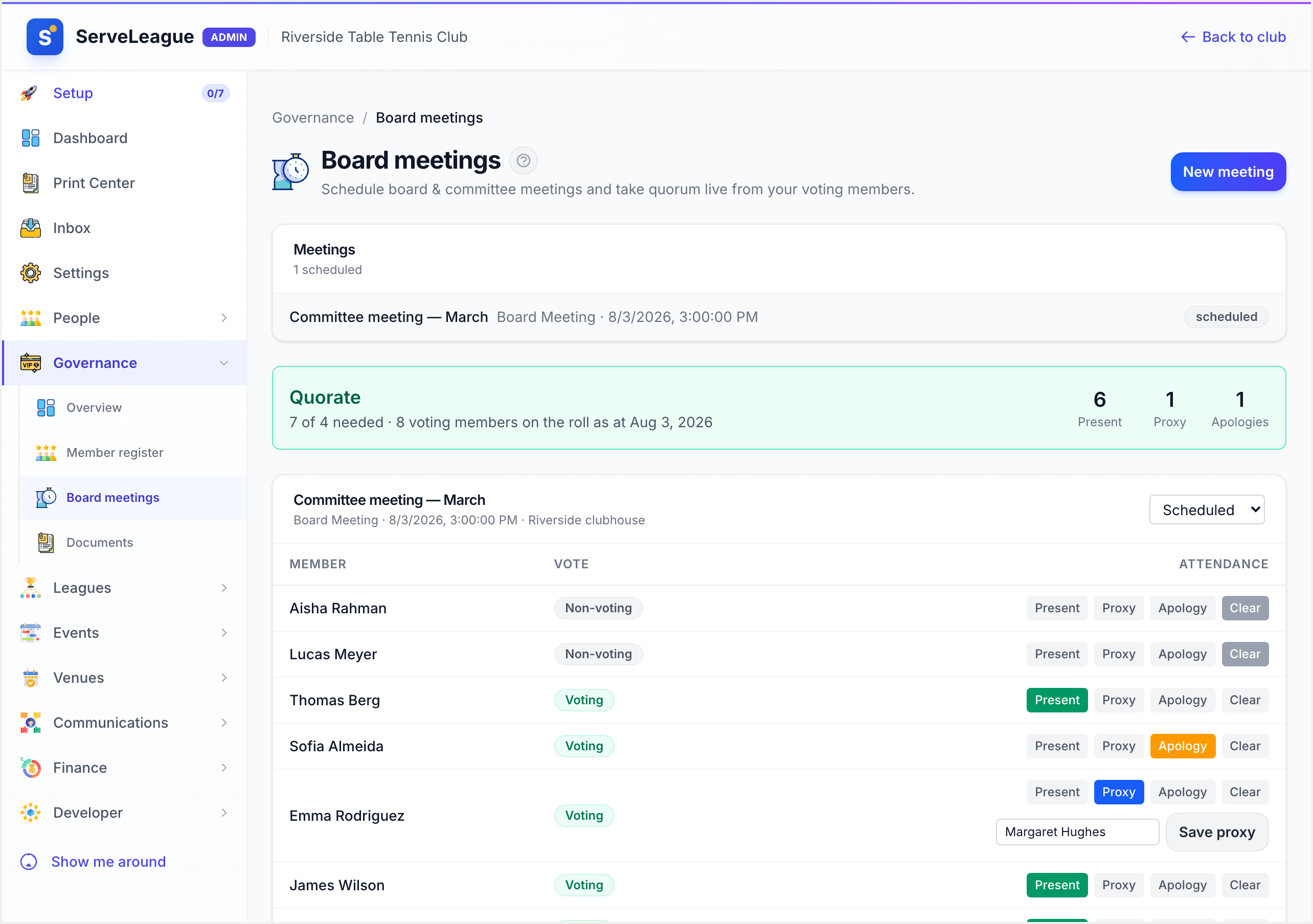
- A live at-meeting quorum taker. Open a board meeting and the voting roll is drawn automatically from the register as at the meeting date. Mark each member Present, Proxy (with the proxy holder's name) or Apology, and the quorate indicator updates live — present plus proxies against the threshold — so the chair knows the moment a meeting can lawfully proceed.
- Board meetings with agendas and minutes. Schedule AGMs, SGMs, board and committee meetings with a location and a numbered agenda, take attendance against the roll, and record the minutes on the meeting itself.
- A governance document store. Keep the constitution, policies and meeting packs in one place alongside the register they govern.
Together with the register, these give your club the one thing a rulebook always demands: a clean, current, defensible answer to "who are our Members, who can vote, and did the meeting have a quorum?"
What's Next
- Maintaining a Member Register: keep the underlying member records accurate, since the governance register links to them rather than duplicating them
- Designing Your Member Register: decide what belongs on a membership type, what belongs on a tag, and what belongs here instead
- Managing Memberships and Payments: subscriptions and renewals for the commercial list, which is separate from the constitutional one