Submitting Scores
Every match you submit feeds directly into ratings, standings, and achievements for your league. Accurate scores mean accurate ratings for everyone in your club, so taking a moment to double-check before hitting submit makes a real difference. Whether you are playing in a casual open-play session or a competitive graded league, the process is the same.
The score submission form is fully optimized for mobile devices. You can pull out your phone between games and submit a result with one hand in under 30 seconds. No need to find a computer or wait until you get home. The sooner you submit, the sooner standings update for everyone watching the live feed.
How to Submit a Match
- Tap the Submit tab at the bottom of the session screen.
- Select the match type: if the league supports singles and doubles, choose the correct one. If only one type is available, this step is skipped automatically.
- Select players: tap the list for each position. For singles, pick both players. For doubles, also pick partners.
- Enter set scores: type each set result (e.g., 11-7, 9-11, 11-5). Scores are validated automatically against your sport's rules. For example, in table tennis each game must reach 11 points and the winner needs at least a 2-point lead. If validation fails, an error message appears highlighting which scores need correction, so you can fix them before submitting.
- Tap "Submit match": the match appears instantly in the live feed.
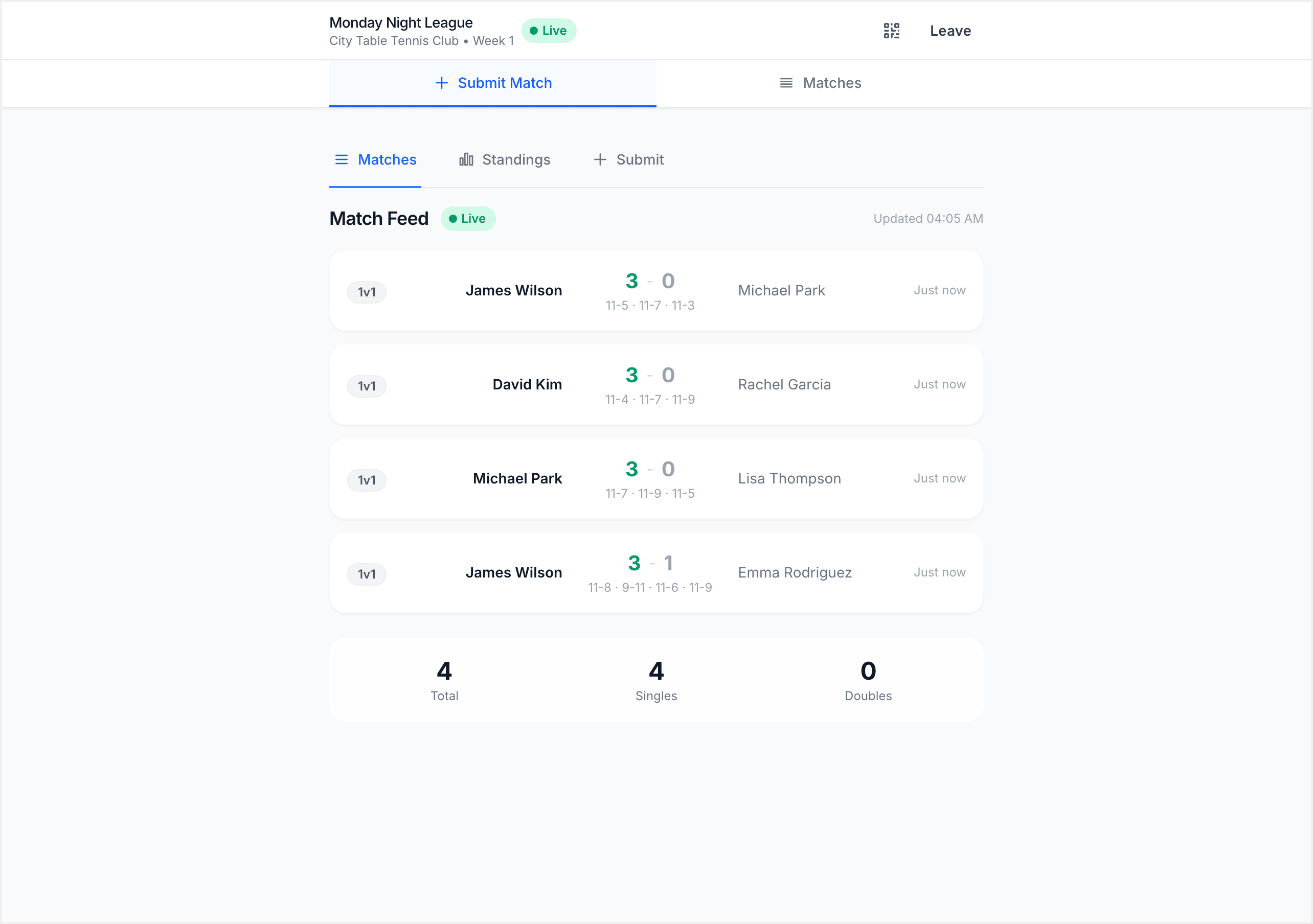
The form resets after submission so you can enter your next match immediately. Player lists remember your last selections to speed things up.
[!WARNING] You can only submit scores while the session is live. Once the admin locks the session, score submission is disabled. If you spot an error after locking, you can file a protest during the review period.
What Score Entry Looks Like by League Type
The score entry experience adapts to your league format:
Standard / Open Play
The most common format. You choose your opponent from the list, enter scores, and submit as many matches as you like in any order. The Standings tab updates live as results come in.
Graded Leagues
Similar to standard play, but after entering the PIN you see your division assignment and the other players in your group. You play round-robin matches within your division.
Drop-In Leagues
After check-in, the system generates your match schedule automatically. You don't pick opponents. Tap each assigned match card and enter the score when it's done.
Team Leagues
You see your team's lineup and match order. Matches follow a set play order template. Enter scores for your assigned match.
Tournaments / Super Leagues
A bracket view shows the full draw. Tap your current match to enter the score. The bracket updates live as rounds complete.
[!TIP] Regardless of format, score entry itself always works the same way: enter game-by-game scores and the system validates them. The difference is in how matches are organized.
Correcting a Submitted Score
If you notice a mistake after submitting, don't worry. Contact your session admin and they can fix it for you.
While the session is still live (before locking), admins can edit or delete any submitted score directly from the admin console. Let them know which match needs correcting and what the right scores should be.
After the admin locks the session, direct edits are no longer available. During the review period that follows locking, you can file a protest on the match in question. The admin reviews protests and can make corrections before finalizing the session. Once the session is finalized, ratings and standings are locked in, so it is important to catch errors during the review window.
Viewing Your Matches
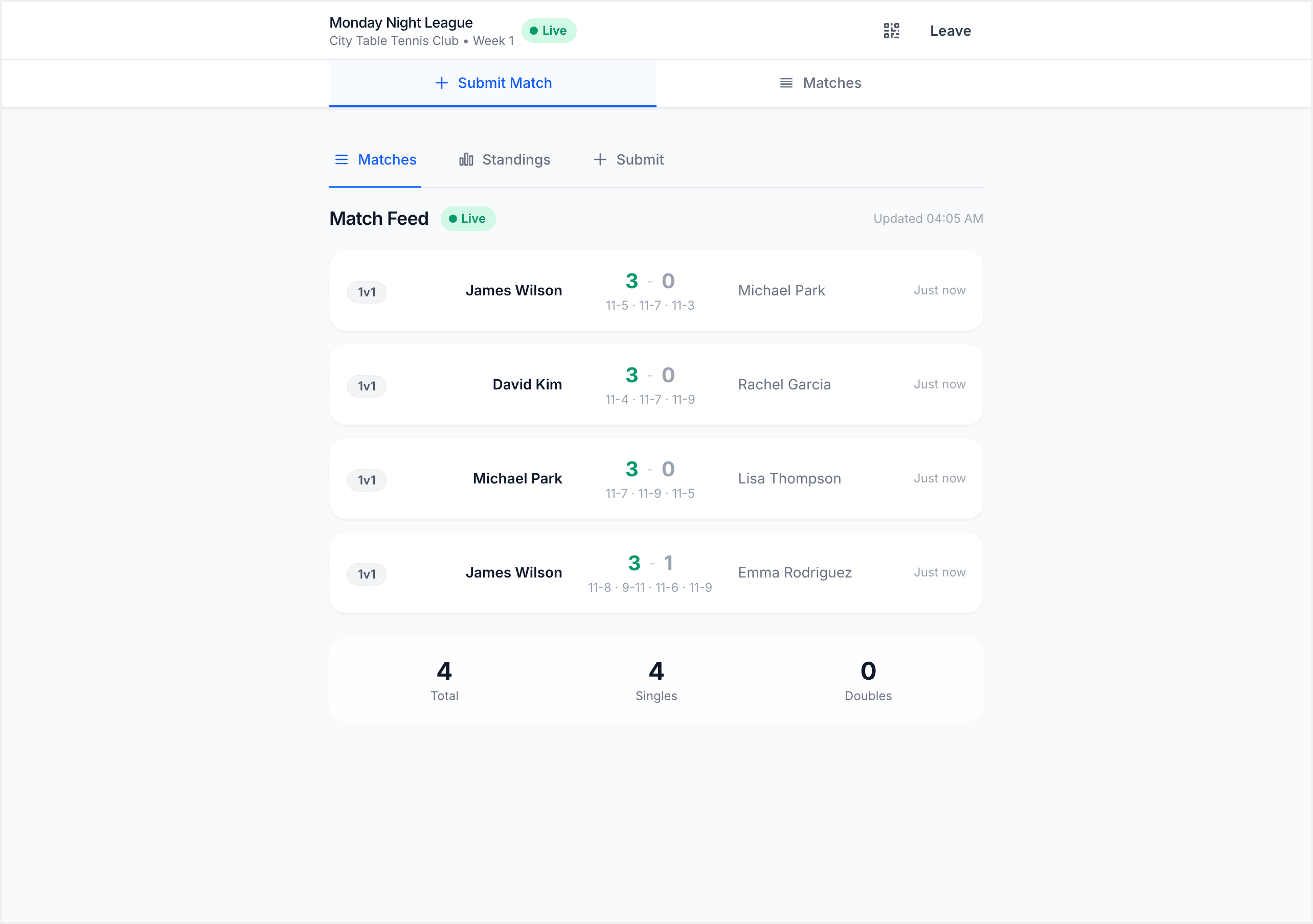
Tap the Matches tab to see every match played in the session. Results appear in real time as other players submit, no refreshing needed. Each match card shows:
- Both players' names
- Set-by-set scores
- Who won (highlighted in green)
Checking Live Standings
Tap the Standings tab to see current session rankings. This updates automatically and shows your position, win/loss record, and points.
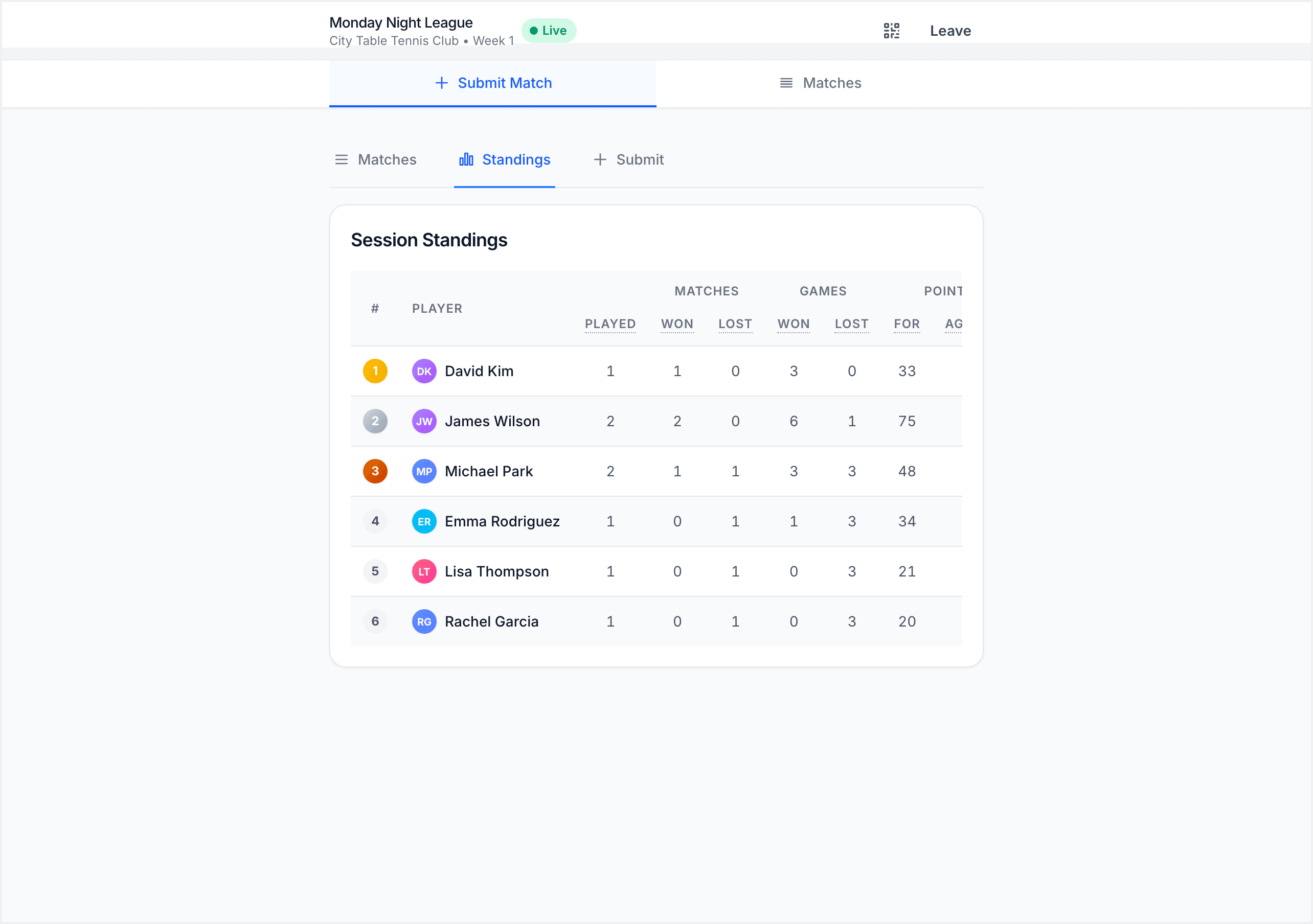
[!TIP] Standings are session-scoped. To see your overall league standings and rating history, visit the club's page after the session is finalized.
Summary
Here is the full flow: tap the Submit tab, select both players, enter your set scores, and tap Submit match. The match appears in the live feed right away. Repeat for each game you play during the session. If you spot a mistake, reach out to your admin for a correction before the session is finalized.
What's Next?
- Reading Your Results: what happens after the session ends
- Understanding Your Rating: how match results become rating changes