Subscription and Billing Management
ServeLeague offers two subscription plans to match your club's size and needs. Whether you are running a single-venue weekly league or managing a busy multi-location operation, there is a plan that fits. Every plan comes with a 30-day free trial, so you can explore the features before you pay anything. This tutorial explains how to view your current plan, compare features, upgrade or downgrade, and set up Stripe Connect so you can collect payments from your members.
Accessing Subscription Settings
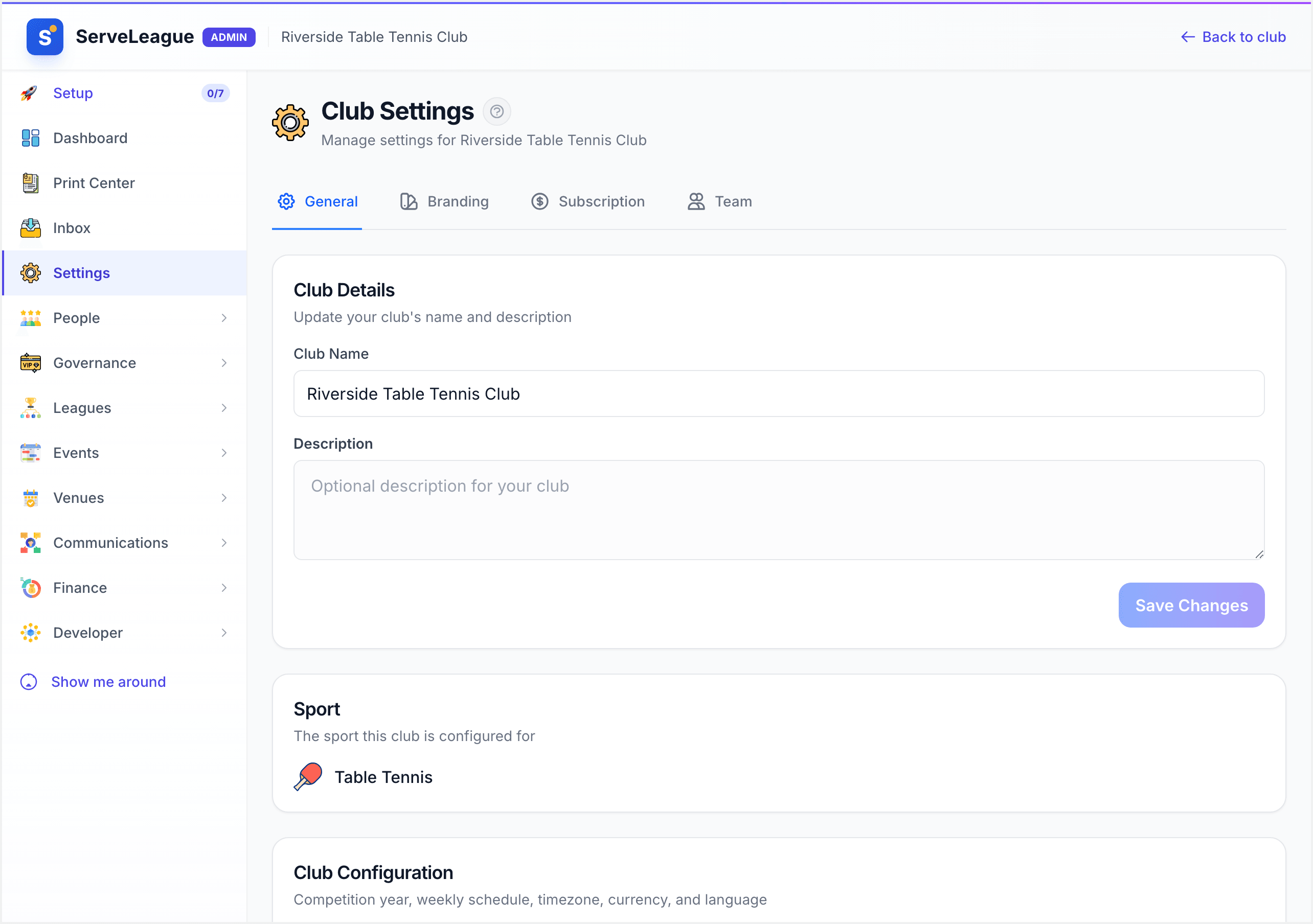
From your club admin dashboard, click "Settings" in the sidebar, then select the "Subscription" tab. This page shows your current plan, billing status, and available upgrade options.
The subscription page displays:
- Your current plan name
- Your billing status, including whether you are still in your 30-day free trial
- Next billing date and amount
- A link to manage your payment method
- Quick access to upgrade or downgrade
Understanding Plan Tiers
ServeLeague has three plans: Casual, Club, and Pro. Casual is free forever. Club and Pro are billed monthly and both start with a 30-day free trial.
Casual — free
Casual is for groups that just turn up and play. It costs nothing, has no member limit, and covers one location, but it is deliberately minimal: you get leagues, player ratings, and statistics, and the only league format you can create is a drop-in league. There is no membership management, no events, no email communications, and no financial dashboard.
If your club collects subscriptions, runs a fixture-based season, or emails its members, you want Club rather than Casual.
Club — $39/month
The Club plan is a complete club operations platform for a single venue. It includes unlimited members and one location, with everything you need to run competitions and look after your members:
- Leagues, sessions, and matches
- Player ratings and leaderboards
- Statistics, records, and achievements
- Membership management and a member directory
- Club events and a public calendar
- Email communications to your members
- Basic financials and payment collection
- Document storage
- The admin dashboard
Pro — $89/month
The Pro plan is for multi-venue clubs that need it all. It includes unlimited members and up to 10 locations, and everything in the Club plan, plus:
- Facility booking and check-in
- Custom branding (your own logo and colors)
- Automation engine for trigger-based workflows
- Embeddable widgets for your own website
- Bulk operations
- API access and API documentation
- Data integrations (HelloClub, CSV, and JSON import/export)
- Advanced financials (Xero, QuickBooks, and MYOB integration, full financial dashboard, and exports)
- Access control and CCTV integration
- Advanced player constraints
- Priority support
[!TIP] If you run a single venue and mainly need leagues, memberships, events, and communications, the Club plan covers you. Move up to Pro when you need facility booking, custom branding, automations, or to manage more than one location.
Comparing Features
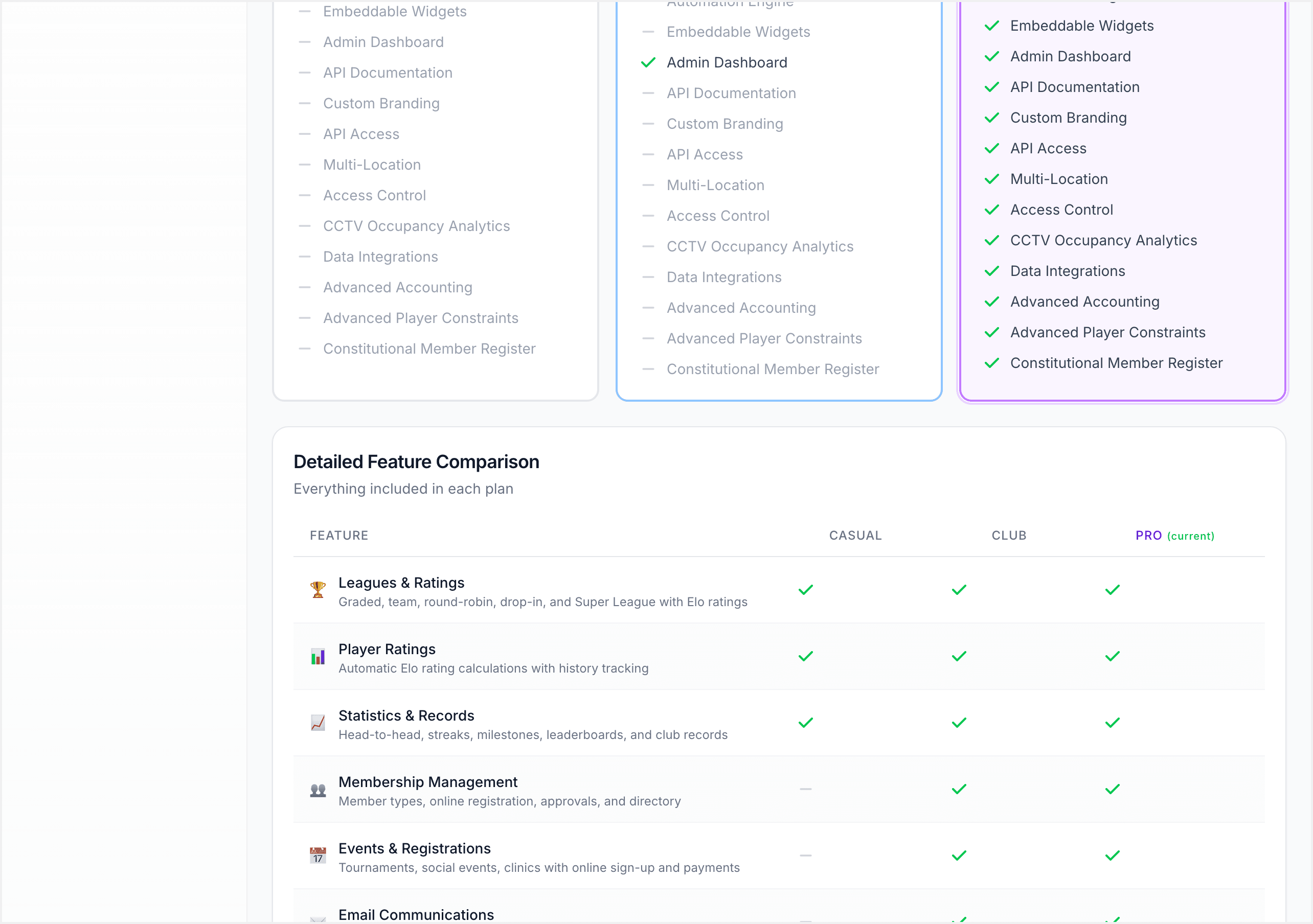
The "Compare Plans" section of the subscription page shows all three tiers side by side, with your current plan marked. Each card lists what that tier includes and greys out what it does not.
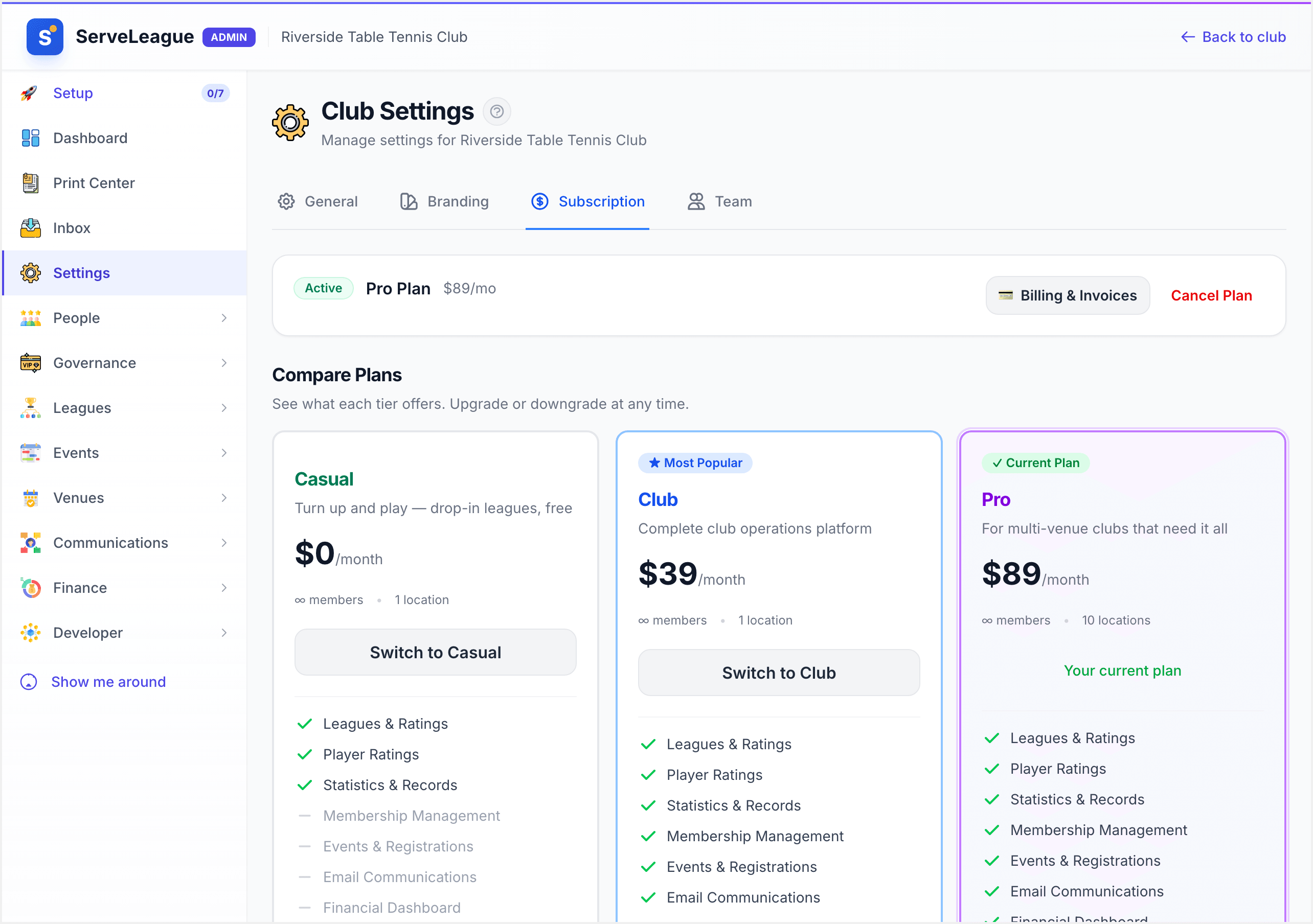
The feature matrix groups capabilities into categories:
| Feature | Club | Pro |
|---|---|---|
| Members | Unlimited | Unlimited |
| Locations | 1 | Up to 10 |
| Leagues, ratings, and statistics | ✓ | ✓ |
| Membership management | ✓ | ✓ |
| Club events | ✓ | ✓ |
| Email communications | ✓ | ✓ |
| Payment collection (Stripe Connect) | ✓ | ✓ |
| Basic financials | ✓ | ✓ |
| Facility booking | – | ✓ |
| Custom branding | – | ✓ |
| Automations | – | ✓ |
| Embeddable widgets | – | ✓ |
| Data integrations (HelloClub, CSV, JSON) | – | ✓ |
| Advanced financials (Xero, QuickBooks, MYOB) | – | ✓ |
| API access and documentation | – | ✓ |
| Priority support | – | ✓ |
How to Upgrade or Downgrade
Because there are two plans, the only move is between Club and Pro. To change your plan, click the "Change Plan" button on the subscription page, select the plan you want, and confirm the change.
When upgrading from Club to Pro:
- New features are available immediately
- You are charged a prorated amount for the remainder of your current billing cycle
- Your next billing date stays the same
When downgrading from Pro to Club:
- You keep your Pro features until the end of your billing cycle
- At the next billing date, your plan switches to Club
- Pro-only features are gracefully disabled. Your data is never deleted
[!NOTE] Club and Pro both include unlimited leagues, so moving between them never limits how many leagues you can run. The differences are the Pro-only features and the number of locations: Club supports one location, Pro supports up to 10. Dropping to Casual is a bigger step, because Casual can only create drop-in leagues.
Setting Up Stripe Connect
Payment collection lets you take registration fees, membership dues, and other payments directly through ServeLeague.
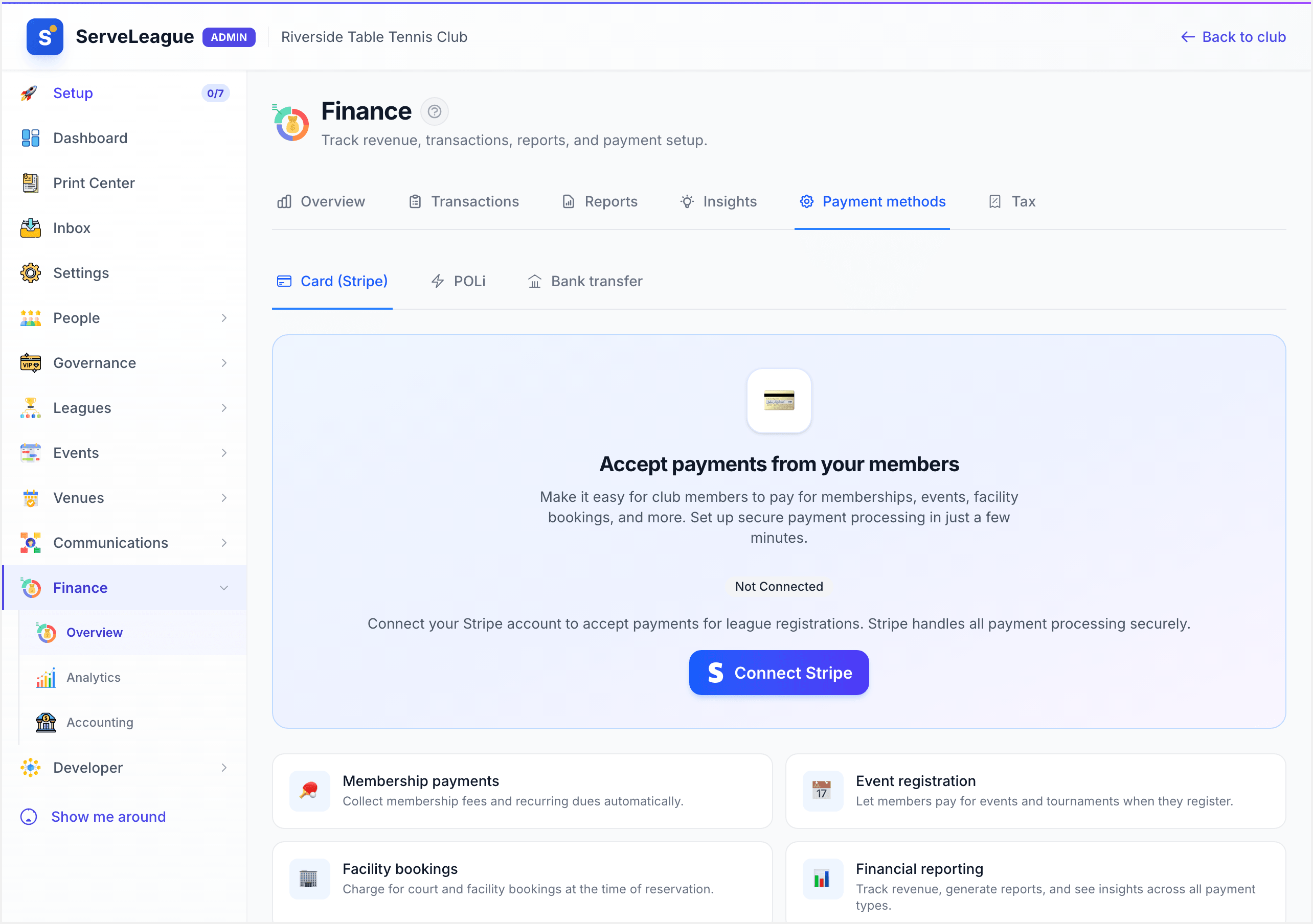
Stripe is configured under Finance, not on the subscription page. Go to Admin → Finance, open the Payment methods tab, then select Card (Stripe). That panel shows your connection status (Not Connected until you set it up) and a Connect Stripe button.
The Stripe Onboarding Flow
Clicking "Connect with Stripe" redirects you to Stripe's secure onboarding process. You will need to provide:
- Business information: your club's legal name, address, and type
- Bank account details: where Stripe should deposit your collected payments
- Identity verification: a government-issued ID for the account holder
- Tax information: depending on your country and club structure
The onboarding process typically takes 5-10 minutes. Once complete, you are redirected back to ServeLeague and your Stripe Connect status shows as "Active".
[!WARNING] Stripe requires accurate business information. If your details do not match your bank records, payouts may be delayed. Double-check everything during onboarding.
Once connected, you can:
- Collect registration payments for leagues (see League Registration and Waitlists)
- Collect membership dues
- View payment history and issue refunds
- Manage payouts from your Stripe dashboard
Viewing Billing History
Your invoices are held by Stripe rather than inside ServeLeague. On the subscription page, click "Billing & Invoices" next to your current plan. That opens Stripe's secure billing portal, where you can:
- View and download every past invoice as a PDF
- See the amount charged and whether each payment succeeded
- Update the card your subscription is billed to
- Update the billing email and address shown on your invoices
[!TIP] Because invoices live in Stripe, they survive independently of your ServeLeague plan. Download them regularly for your club's financial records.
What Happens When You Downgrade
ServeLeague is designed so that downgrading from Pro to Club never causes data loss. Here is what happens to the Pro-only features that are no longer included on the Club plan:
- Facility booking: existing bookings and history are preserved. You can no longer manage the booking grid or take new bookings until you upgrade again.
- Custom branding: your club page reverts to the standard ServeLeague template. Your saved logo and colors are kept and reapplied if you upgrade again.
- Automations: existing automation logs are preserved. New trigger-based workflows cannot run until you upgrade again.
- Advanced financials: historical data is preserved. You see the basic financials view instead of the advanced dashboard, and the accounting integrations pause.
- Additional locations: data for every location is preserved. The Club plan supports one active location, so extra locations become read-only until you upgrade again.
Your data is always safe, regardless of which plan you are on.
Summary
Managing your ServeLeague subscription is straightforward. Both plans are billed monthly and start with a 30-day free trial. Choose the Club plan for a complete single-venue operation, or the Pro plan when you need facility booking, custom branding, automations, integrations, or more than one location. Connect Stripe to start collecting payments. Remember that downgrading is always safe: your data and existing content are preserved, and Pro-only features degrade gracefully.
What's Next?
- Setting Up Your Club: make sure your club profile is fully configured
- League Registration and Waitlists: start collecting registration payments with Stripe Connect
- Club Branding and Customization: customize your club's appearance to match your brand