Getting Started as a Player
ServeLeague is designed so that players can participate in league nights without creating an account, downloading an app, or knowing the club admin. All you need is a 4-digit PIN: your organiser shares it at the start of each session.
This page gives you the big picture. Each topic below has its own short tutorial with step-by-step details.
Join a Session
Your organiser will share a 4-digit PIN or QR code. Go to serveleague.com/join, enter the PIN, and you're in. No sign-up required.
→ Joining a Session: full walkthrough of the join flow
Submit Your Scores
After each match, tap the Submit tab to enter your set scores. The form is designed for quick, one-handed input on your phone. Score entry adapts to your league type (standard, graded, drop-in, team, or tournament).
→ Submitting Scores: how to enter results for every league format
Read Your Results
After your organiser finalizes the session, your results become permanent. See your win/loss record, how each match affected your rating, and any achievements you earned.
→ Reading Your Results: understanding your results page
Track Your Rating
Every player has a rating that reflects their competitive strength. It updates automatically after each session. Learn what the number means and how to track your improvement.
→ Understanding Your Rating: how ratings work and what they mean
Explore Your Profile
Your player profile is your home on ServeLeague: stats, progression charts, match history, and achievements in one place.
→ Your Player Profile: navigating your profile page
Compare with Rivals
Curious about your record against a specific opponent? The head-to-head comparison shows your complete rivalry history.
→ Comparing Players: head-to-head and rivalry stats
Earn Achievements
ServeLeague automatically detects milestones, streaks, and standout performances. Browse the badges, share your accomplishments, and climb the leaderboard.
→ Achievements and Milestones: badges, streaks, and sharing
Stay Notified
Get push notifications for results, install ServeLeague as an app on your phone, and follow other players.
→ Notifications & App Install: push notifications, PWA setup, watching players
Match Preferences
Request to avoid being paired with specific players. Your club admin reviews and approves or rejects the request. Approved preferences are enforced during session scheduling.
→ Match Preferences: how to request and manage matchup exclusions
Claiming Your Profile
If you play regularly, claim your player profile to link it to your account. This gives you:
- Rating history and match results on your personal dashboard
- Push notifications for session results
- Statistics, progression charts, and achievements
- Match history linked permanently, even results from before you signed up
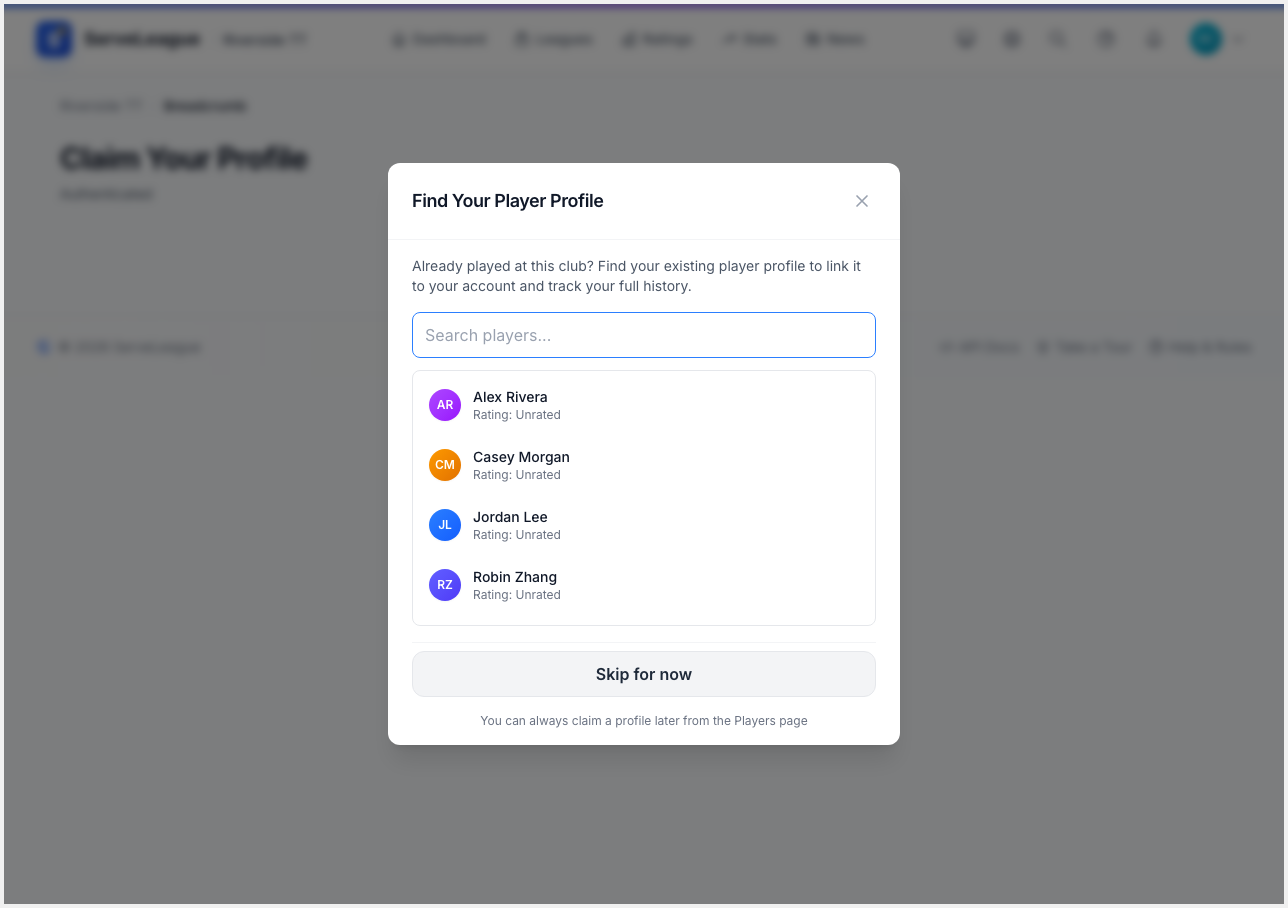
How to claim:
- Create a ServeLeague account (or sign in) at serveleague.com.
- Go to your club's page → Players section.
- Click "Find Your Profile" and search for your name.
- Submit a claim request. The club organiser will approve it.
- Once approved, your account is linked.
[!NOTE] Only one account can be linked to a player profile. If someone else claimed yours by mistake, contact your club organiser.