Reading Your Results
After your league admin finalizes a session, your results become permanent. Ratings update, standings refresh, and you can see exactly how each match affected your rating. This tutorial walks you through everything you see after a session wraps up.
How You Know Results Are Ready
You will be notified when results are posted:
- Push notification (if you have the PWA installed and notifications enabled): arrives within seconds of finalization
- Email: a summary lands in your inbox with your rating change and match record
- In-app notification: the bell icon in the header shows a badge
You can also check the session page directly. When results are posted, the status badge changes from "Under Review" to "Final Results".
Your Session Results Page
After finalization, you can view your personal results page for that session. This shows everything about your performance in one place.
How to get there
- Tap the notification you received, or
- Go to the league page → click the session → click your name in the standings
What you see
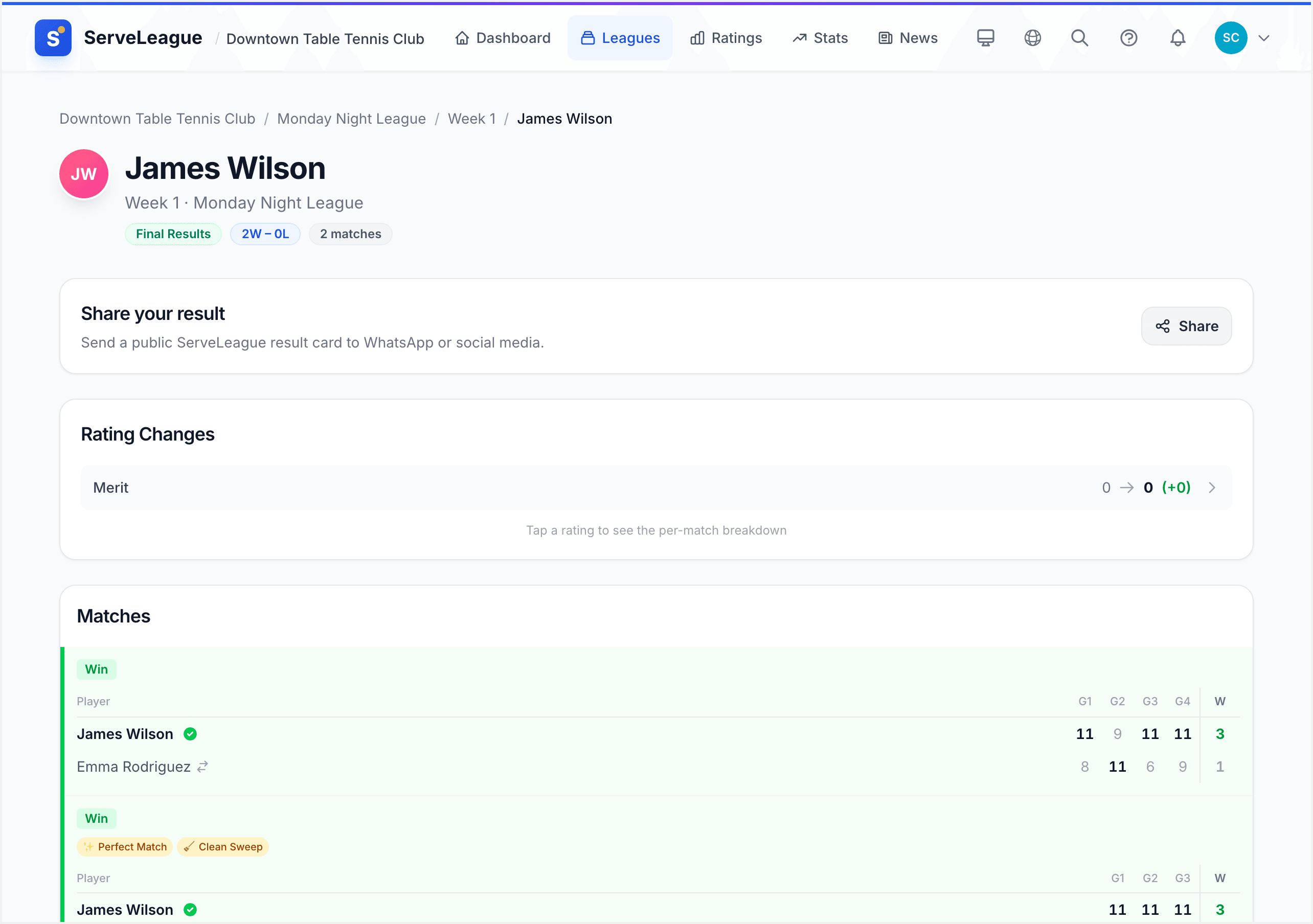
The results page displays:
- Your name and the session/league context (breadcrumb navigation)
- Win/Loss record: for example, "Won 4 of 6 matches" shown prominently at the top
- Rating Changes: a summary of how your ratings moved (see below for details)
- Match list: every match you played, with set-by-set scores
- Achievements earned: any badges you unlocked during this session
- Links to view the full session or your player profile
[!TIP] Your results page has a permanent link. You can bookmark it or share it with friends as a record of your performance.
Understanding Your Rating Changes
The Rating Changes section shows how your ratings moved as a result of this session. You will see up to three rows:
| Rating type | What it means |
|---|---|
| Singles | Your individual match rating |
| Doubles | Your doubles/partnership rating |
| Merit | Your consistency and participation score |
Each row shows:
- Previous rating: your rating before this session
- New rating: your rating after this session
- Change: the difference (e.g., +12 or -5), color-coded green for gains and red for losses
Rating Breakdown: How Each Match Contributed
Tap any rating row to open the Rating Breakdown panel. This shows you exactly how each individual match contributed to your overall rating change.
For example:
| Match | Opponent | Result | Rating impact |
|---|---|---|---|
| vs Alex Rivera (1850) | Won 3-1 | +8 | |
| vs Jordan Lee (1620) | Won 3-0 | +3 | |
| vs Taylor Kim (1480) | Lost 1-3 | -4 | |
| Net change | +7 |
The rating impact depends on the difference between your rating and your opponent's. Beating a higher-rated player earns more points than beating a lower-rated one. Losing to a lower-rated player costs more than losing to a higher-rated one. See Understanding Your Rating for the full explanation of how the algorithm works.
[!NOTE] The breakdown is only available after finalization. During the session (while results are preliminary), you can see your matches but not the rating impact.
Your Match List
Below the rating changes, every match you played appears in a list. Each match card shows:
- Opponent name (or team names for doubles)
- Set-by-set scores: for example, 11-7, 9-11, 11-5, 11-8
- Winner: highlighted with a green indicator
- Match type: Singles, Doubles, or Mixed Doubles (if the league supports multiple formats)
Matches are listed in the order they were played during the session.
Achievements Earned
If you unlocked any achievements during this session, they appear at the bottom of your results page. Common achievements include:
- Giant Killer: beating a player rated significantly higher than you
- Perfect Session: winning every match in a session
- Comeback King: winning a match after being down 0-2 in sets
Tap an achievement to see its full description and how many times you have earned it.
Checking the Session Standings
From your results page, tap "View Full Session" to see the complete session standings. The standings table shows every player ranked by their session performance:
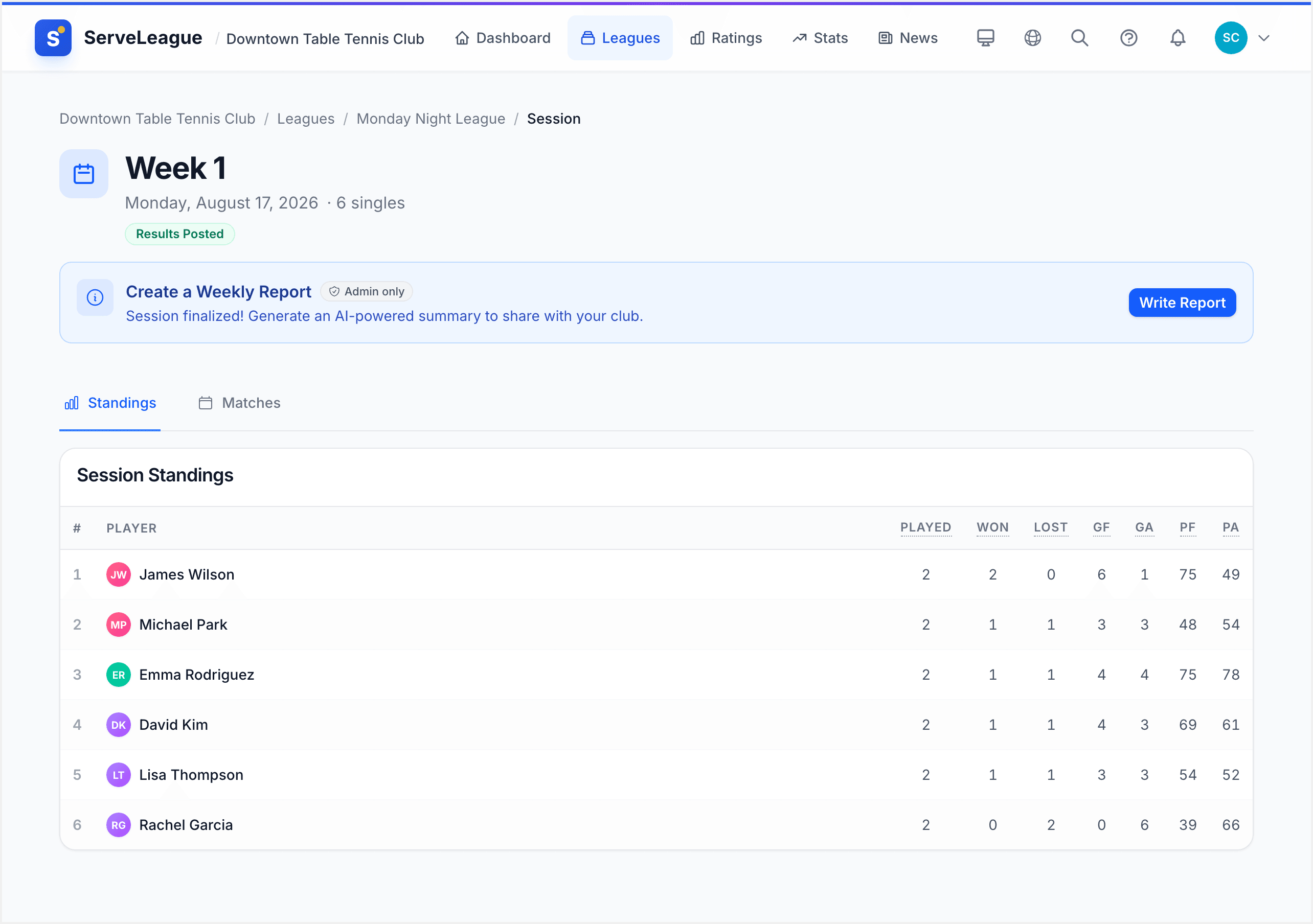
- Rank: your position relative to all players in the session
- Played / Won / Lost: match counts
- Sets for/against: detailed set-level statistics
- Points: the session scoring total
This is the same view your admin sees. After finalization, the standings are frozen. They represent the final outcome of the session.
League Standings
Session results feed into the overall league standings, which aggregate performance across all sessions in the league. Visit the league page to see:
- Overall league table: cumulative wins, losses, and points across all sessions
- Your position: how you rank against all league members over the full season
[!TIP] League standings update immediately after finalization. Check the league page to see if your overall position changed.
Weekly Reports
Every week, your club publishes a Weekly Report summarising the past week's activity. If your admin has this enabled, you will receive it via email and can also view it on the club's news page.
The weekly report typically includes:
- Player of the Week: the top performer based on session results
- Top Gainers: players with the biggest rating improvements
- Milestones: notable achievements unlocked during the week
- Session summaries: a recap of each session that was played
You can view past weekly reports at any time from your club's page under the News section.
[!NOTE] Weekly reports are generated automatically by the platform. Your admin can customize which sections appear.
Rating History Over Time
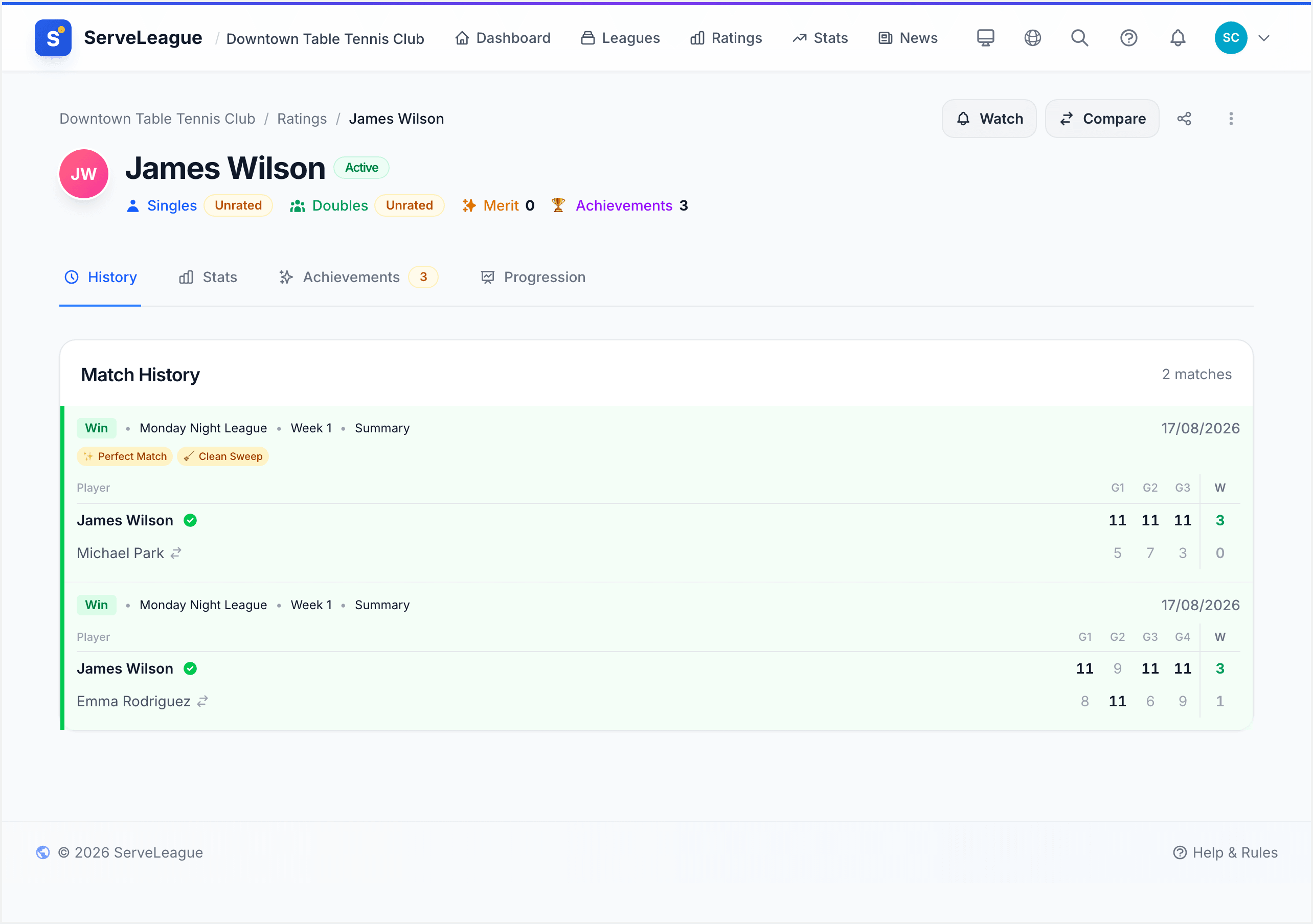
Want to see how your rating has changed over weeks and months? Visit your player profile and check the Progression tab. A line chart shows your rating over time with filters for 1 month, 3 months, 6 months, 1 year, or all time.
What's Next?
Now that you understand how to read your results:
- Understanding Your Rating: learn exactly how the Elo-based algorithm calculates your rating changes
- Your Player Profile: explore your full stats dashboard, match history, and progression charts
- Head-to-Head and Player Profiles: compare your record against specific opponents
- Achievements and Milestones: discover all the badges you can earn